![[Stock] 3 tips for your experimentation strategy](http://images.ctfassets.net/gwbpo1m641r7/7rzAn0l1w7lrnyGqqbPQsX/fc7b3d311b738d81ead59cb6144fa3f2/Copy_of_Why_you_need_to_host_an_anxiety_party__1_.png?w=946&q=85&fit=scale&fm=avif)
Let's be honest: the product management software market is a mess. You've got dozens of apps all shouting about roadmaps, feedback loops, prioritization frameworks, and analytics dashboards—and half of them do the same thing. Pick the wrong one (or three) and suddenly your team's brilliant ideas are scattered across Notion, Jira, that other tool someone swore by last quarter, and a Google Sheet nobody can find. Meanwhile, the actual job hasn't changed: ship features people use, keep everyone rowing in the same direction, and somehow prove you're not just guessing.
This guide skips the fluff. You'll find nine tools that actually earn their spot in your stack, what makes each one worth your time, and honest advice on building a setup that works with what you already have—not against it. We'll also tackle the thing most tool guides ignore: planning what to build is only half the battle. The real win comes when you connect those plans to cold, hard evidence of how users behave after you ship. That's how you defend your product roadmap with data, not crossed fingers.
Key insights
Match the tool to the job: the best product management tools work as a set, pairing clear roadmapping with focused prioritization, feedback, and analytics, instead of forcing one app to do everything.
Fewer, better tools win: when it comes to product management, a small, well-integrated set beats a sprawling collection that scatters your ideas and data.
Plans need proof: planning what to build is only half the work, because you also need evidence of how users adopt and engage with what you ship.
Start with your real gaps: the right choice depends on your team size, your existing stack, and where work slows down today.
Product management tools comparison table
Tool | Best for | Free plan |
|---|---|---|
Jira Product Discovery | Idea capture and prioritization | Yes, up to 3 creators |
Productboard | Customer-driven roadmaps | Yes, limited |
Aha! | Strategy and portfolio roadmaps | Trial only |
airfocus | Flexible prioritization | Demo only |
ProductPlan | Visual, shareable roadmaps | Trial only |
Linear | Fast issue tracking | Yes |
Canny | Customer feedback and voting | Yes, up to 25 users |
Notion | Docs, PRDs, and planning | Yes |
Contentsquare | Feature adoption and engagement | Yes, up to 10k sessions |
9 best product management tools to add to your tech stack
Before we dive in, a quick reality check: these nine tools aren't trying to do the same job. Some help you decide what to build, others keep delivery moving, and one (Contentsquare) tells you whether anyone's actually using what you shipped. The best setup? A tight crew that plays well together, not a bloated roster where half the team forgets which tool owns what. Oh, and several offer free tiers, so you can kick the tires before handing over a credit card.
1. Jira Product Discovery
Jira Product Discovery is best for product teams that already live in the Atlassian world and want one place to gather and rank ideas. It gives you a single board to collect input from sales calls, support tickets, and Slack threads, so nothing slips through.
Say a customer asks for a new export feature. You capture the request, attach the context and any supporting notes, then score it against reach and effort to see how it stacks up. When an idea wins, it links straight to Jira delivery work, so you can trace a concept from first note to shipped feature.
Custom views let you show leadership the big bets while your team tracks the details. The free plan covers up to 3 creators with unlimited contributors, so a small team can start without paying.
2. Productboard
Productboard is best for teams that want their roadmap driven by real customer demand, not the loudest voice in the room. It pulls feedback from sales, support, and surveys into one central repository, so you can spot patterns across hundreds of requests.
Say you're weighing two features for next quarter. You group related feedback, tie each request to a segment, then apply a prioritization framework to score what matters most. From there you build roadmap views tailored to each audience, from executives to engineers.
A public portal lets customers see what's planned and vote on it, which keeps them in the loop and cuts repeat questions. It works well for B2B software teams juggling lots of requests. There's a limited free plan, with paid tiers as your needs grow.
3. Aha!
Aha! is best for product leaders who manage strategy across a whole portfolio, not just a single product. You use it to map initiatives across several products, tie every roadmap item back to a company goal, and present clean plans to executives.
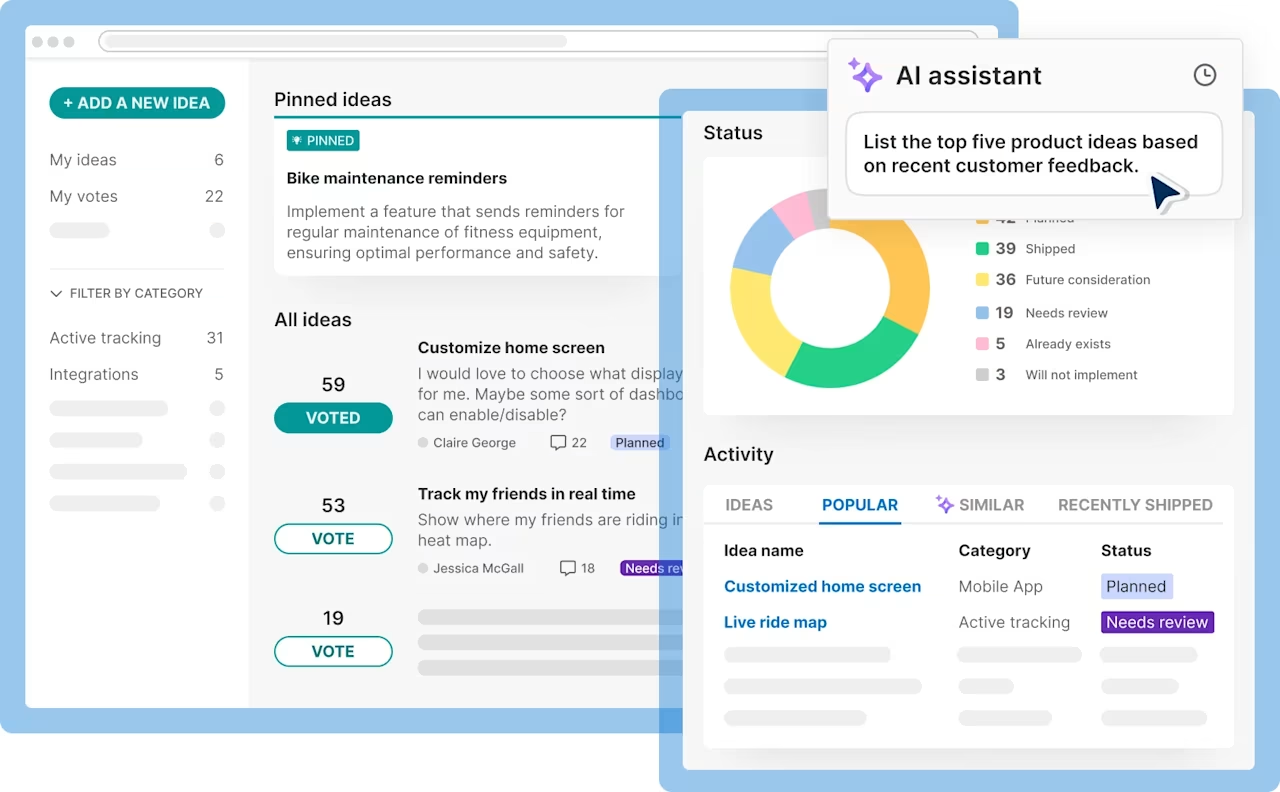
Say leadership wants to see how three product lines ladder up to this year's revenue target. You link each initiative to that goal, then generate a portfolio view that shows the whole picture at once. Idea portals give customers and internal teams a place to submit and discuss requests, so your backlog reflects real demand.
Because Aha! shines at the strategic layer, many teams pair it with a delivery tool like Jira for daily execution. There's no free plan, but a free trial lets you explore before you commit.
4. airfocus
airfocus is best for teams that want prioritization to fit their process, not the other way around. You can build custom scoring frameworks, weigh options side by side, and adjust modular roadmaps to match how your team plans.
Say your group keeps debating which features come first. You set the criteria that matter, then run Priority Poker, a session where teammates score items together to surface disagreement and reach a shared call. The result is a ranked list to guide product development that you can defend with data instead of gut feel.
Modular building blocks let you assemble the exact roadmap and views each product needs, which suits leaders running several products at once. Pricing is quote-based, and airfocus offers a personalized demo rather than a standing free plan.
5. ProductPlan
ProductPlan is best for teams whose main job is communicating product strategy clearly, not running daily execution. Its drag-and-drop interface makes building and updating a roadmap quick, even if you're not a power user.
![[Visual] Square Online formerly Weebly](http://images.ctfassets.net/gwbpo1m641r7/1rjyLcjaogvTU1Erg3pBxG/35c364ae8ce4eab630b50fbf69237716/maxresdefault.jpg?w=1280&q=85&fit=scale&fm=avif)
Say you need a board-ready roadmap by Friday. You drag bars onto a timeline, group them into lanes by theme or team, then color-code by status in minutes. When plans shift, you update once and everyone sees the change.
Shareable live links and exports let stakeholders view the latest plan without a login, so you stop emailing stale slides. Prebuilt templates give you a fast start for common roadmap types. Teams that mostly need to align people around a plan get the most value here. There's no free plan, but a free trial lets you test it first.
6. Linear
Linear is best for small to mid-size product and engineering teams that value shipping quickly. It's built for speed, with a clean interface, keyboard shortcuts for nearly every action, and simple projects and cycles.
![[Visual] linear](http://images.ctfassets.net/gwbpo1m641r7/6J4g8789znWAxU57A96Oi0/ce041d3896f92cee0509541d00255e5e/linear.png?w=1280&q=85&fit=scale&fm=avif)
Say your team works in two-week sprints. You plan a cycle, assign issues, and let Linear roll unfinished work into the next one automatically, so planning takes minutes instead of a meeting. Keyboard-first navigation means you can create, assign, and update issues without touching the mouse, which keeps engineers in flow.
Tight GitHub and Slack sync links pull requests and messages to issues, using automation so status updates happen on their own. The result is less busywork and more shipping. The free plan includes unlimited members and up to 250 issues, plenty for a small team to run real work before upgrading.
7. Canny
Canny is best for teams that want to collect customer feedback in the open and see real demand instead of guessing. Public boards let users submit feature requests and vote on the ones they want most.
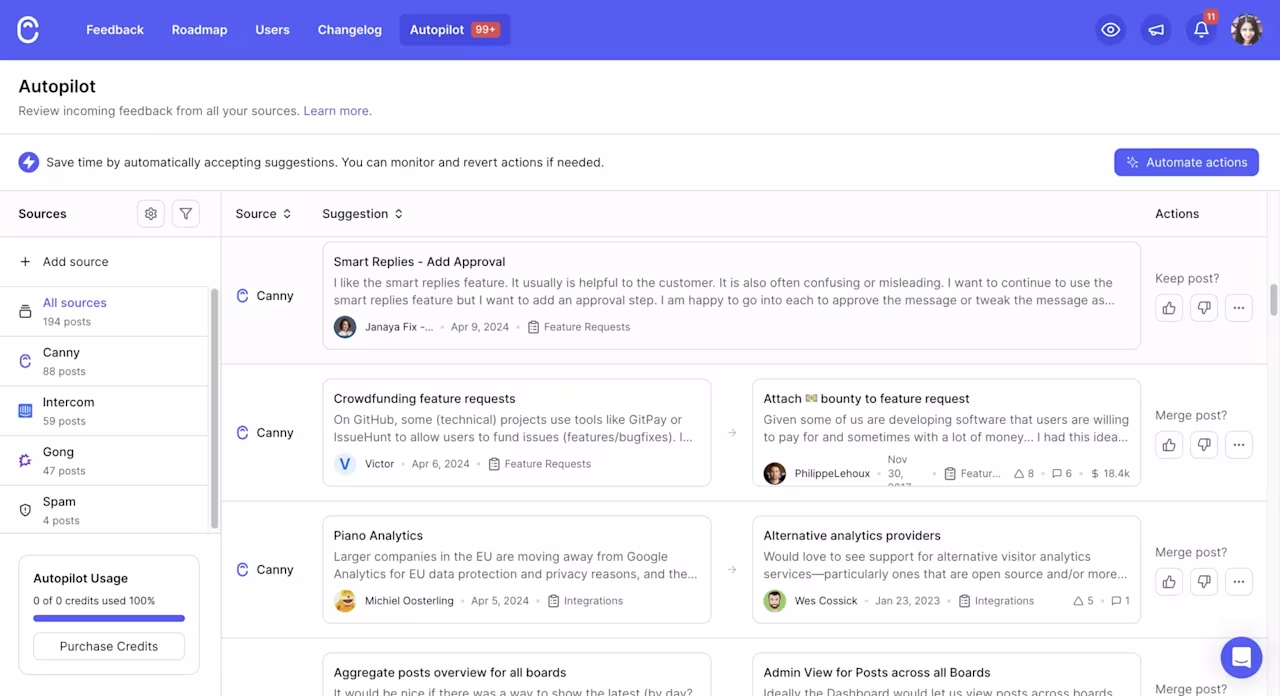
Say requests are scattered across support tickets and sales notes. You point customers to a single board, where votes and comments show you which ideas have the most pull. A public roadmap keeps users informed about what's planned, in progress, and shipped.
When you release something, the built-in changelog announces it automatically, so people who asked for a feature hear that it's live. Canny connects to tools like Jira and Linear, so requests flow into your delivery workflow without copy-paste. The free plan covers up to 25 tracked users.
8. Notion
Notion is best for teams that want a flexible home for docs, PRDs (product requirement documents), and lightweight planning in one place. It blends notes, wikis, and task tracking in a workspace you can shape to fit how your team works.
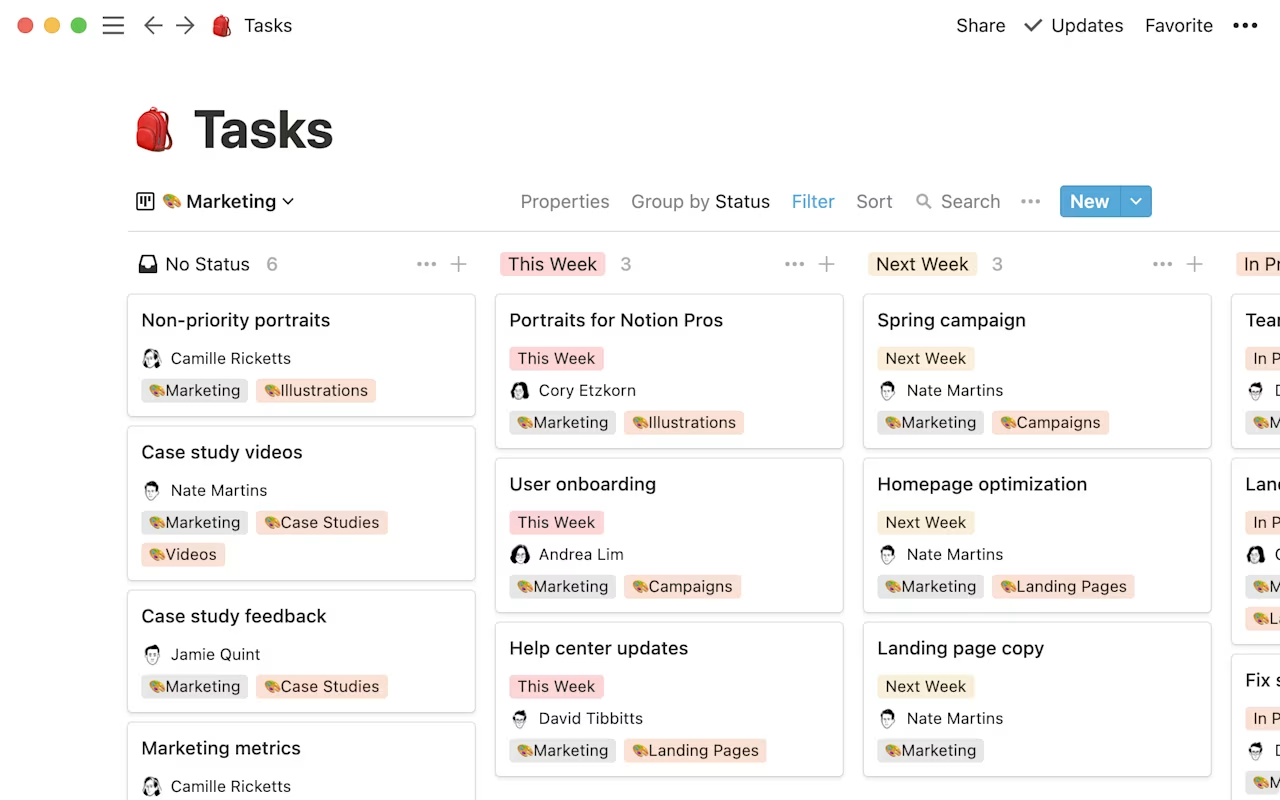
Say you're kicking off a new feature. You draft the PRD, link it to related research and meeting notes, then add a simple task board to track the work, all in one page. Prebuilt templates give you a fast start for roadmaps, sprint planning, and retrospectives, so you're not building from scratch.
Shared wikis keep goals, specs, and decisions easy to find, which cuts down on repeat questions. Notion isn't a purpose-built product tool, but its flexibility makes it a common hub for product documentation. The free plan works well for individuals and small teams.
9. Contentsquare
Most tools in this list help you decide what to build or manage the work that follows. Contentsquare helps you see what happens once the feature is live. Did users find it? Did they use it? Where did they get stuck? Did they come back?
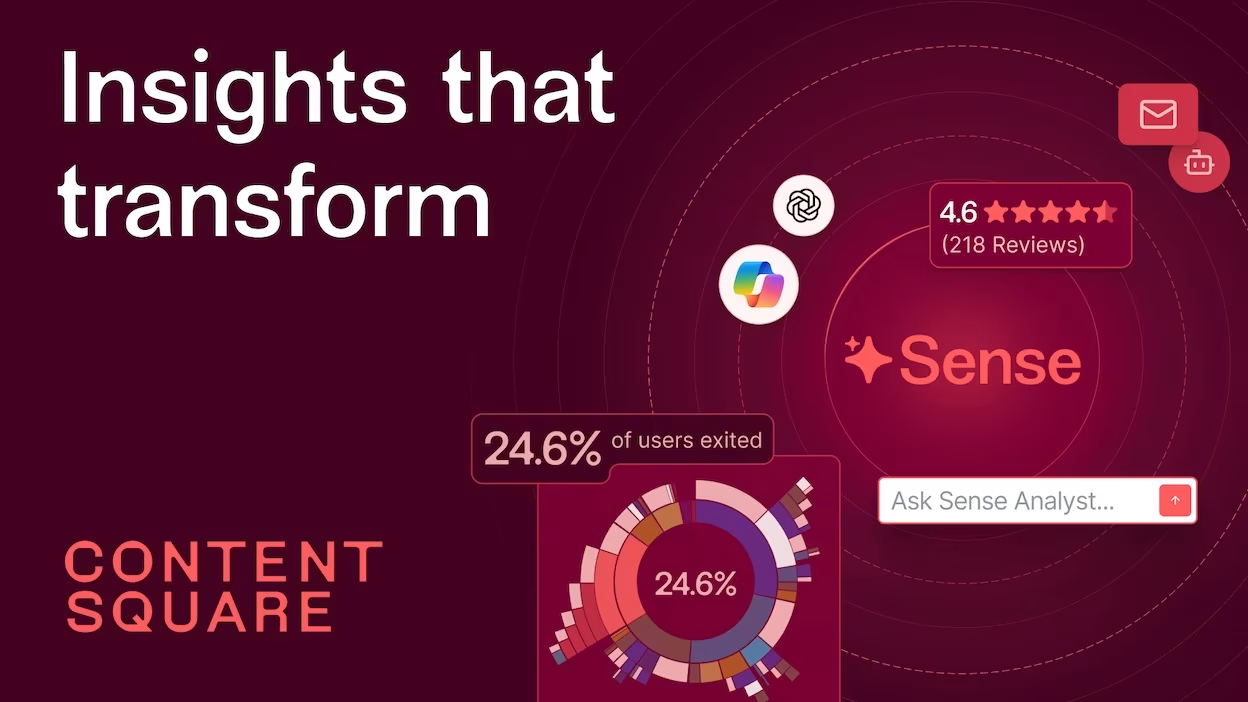
Say you launch a new onboarding step and adoption is lower than expected. You can use Smart Capture to analyze the interactions around it, Funnel Analysis to find where users drop off, and Session Replay to watch what happened before they left. Sense helps you investigate unusual patterns, while Impact Quantification estimates whether the issue is large enough to move up the priority list.
Here are the tools that help close the loop between shipping and learning:
Smart Capture: capture interactions automatically, so you can investigate new questions without manually tagging every event.
Funnel Analysis: see where users drop off across onboarding, signup, checkout, or any other important flow.
Session Replay: watch what users experienced before they abandoned a step or struggled with a feature.
Heatmaps and Journey Analysis: see where users focus, where they hesitate, and the paths they take through your product.
Sense: investigate adoption gaps, anomalies, and recurring friction using plain-language questions.
Impact Quantification: estimate the potential conversion and revenue impact of an issue, so you can prioritize fixes based on business value.
Data Connect: bring behavioral and performance data into your warehouse, then combine it with CRM, support, or revenue data if your team needs a broader view.
How to choose the right product management tool
After comparing the tools, start with the problem you need to solve, not the feature list.
Ask yourself:
Where is work slowing down? Are ideas getting lost, decisions taking too long, or delivery falling behind?
What kind of work do you need to manage? Strategy, roadmaps, feedback, delivery, or some combination?
What does your team already use? The best tool should connect to your existing stack, not create another silo.
Who needs to use it? A tool that works for product leaders but frustrates engineers will not get far.
Will it still fit as you grow? Check pricing, permissions, integrations, and how much work it takes to maintain.
Can you test it first? Use a free plan or trial to run one real workflow before committing.
The right product management tool should remove friction from your process. If it adds another place to check, another system to update, or another login everyone avoids, it is not solving the problem.
💡 Pro tip: If getting answers from your data usually means filing a request and waiting, that’s friction too. Contentsquare’s Sense Analyst lets product teams ask questions in plain language and investigate changes in adoption or engagement themselves, without waiting on an analyst.
![[Visual] Sense-analyst](http://images.ctfassets.net/gwbpo1m641r7/14lhHZLJJzj23AMqlXZ2al/626a4c6f575706b0c7c9e943c2c08bd8/Sense-analyst.png?w=1280&q=85&fit=scale&fm=avif)
Sense Analyst turns a plain-language question into a full analysis, no ticket to the data team required.
The step most teams skip: measure what ships
A roadmap tells you what you intended to build. It does not tell you whether users found the feature, understood it, or came back to use it again.
After launch, track the signals that match your goal. Feature adoption shows whether people discover and use the new functionality. Funnels reveal where they drop off. Retention tells you whether the change creates lasting value. Feedback explains what users liked, disliked, or could not figure out.
💡 Pro tip: use Session Replay after launch to watch exactly how users interact with your new feature. Say adoption looks low—you can filter replays to users who saw the feature but didn't engage, then watch what actually happened. Maybe they scrolled past it, clicked the wrong thing, or got confused by the copy. You're not guessing anymore; you're watching the moment it went wrong.
![[Visual] Full session capture](http://images.ctfassets.net/gwbpo1m641r7/1QfHxdJXKVzQI5uW9jcOd8/d50850bc54a0daa199f673de1f180c7f/Full_session_capture.svg?w=655&q=85&fit=scale)
Filter to the sessions that matter, then watch the full journey to understand what happened before users converted or dropped off.
This closes the loop between planning and proof. Instead of asking whether a feature was a success, you can see what happened, investigate why, and decide what to improve next.
The best product stack closes the loop
The most useful product stacks connect four stages:
Listen: collect feedback from customers, support, sales, and research
Decide: prioritize ideas based on customer value, business impact, and effort
Ship: turn the decision into work your product and engineering teams can deliver
Learn: measure adoption and behavior, then feed what you discover into the next decision
You do not need one giant platform to cover everything. You need tools that work together and a process that makes learning part of the job, not something you do only when a launch goes wrong.
Choose tools that help you make better decisions
The best product management tool is not the one with the longest feature list. It is the one your team actually uses to make clearer decisions and move work forward.
Start with the gap that hurts most today. Choose a tool that fits your workflow, connect it to the systems you already rely on, and measure whether it improves the way your team works. Then keep the stack small enough that people can find what they need without opening twelve tabs and asking, “Where does this live again?”
A good product process does more than help you plan what to build. It helps you learn what worked after you shipped, so every release gives the next decision a better starting point.
FAQs about product management tools
Product management tools help teams decide what to build, explain why it matters, and keep the work moving once the decision is made.
Some tools focus on roadmaps and strategy. Others collect customer feedback, prioritize ideas, manage delivery, or show how users respond after launch. The goal is not to collect every tool available. It is to give your team one reliable way to move from idea to decision to outcome.