![[Visual] AI analytics home - stock](http://images.ctfassets.net/gwbpo1m641r7/64i3HakmQ9aHWYWEEqpFUM/f1d5d2a41b5c7d7a523a34b58bd50ece/AdobeStock_634961399.png?w=1280&q=85&fit=scale&fm=avif)
If your team keeps patching the same problems, it's because no one ever found out what's actually causing them. This guide shows IT, reliability, QA, manufacturing, and product teams how to find a problem's root cause faster—and which AI tool fits, depending on whether the problem lives in your systems, your production line, or your customer journeys.
Key insights
AI reads more than any human can. The best AI tools for root cause analysis scan logs, metrics, and behavior at a scale no team could review by hand.
Look for reasoning, not just alerts. Strong tools rank likely causes and explain why, instead of just flagging that something looks off.
AI speeds up the investigation—people still decide. The tool narrows the suspects; a person confirms the cause and signs off on the fix.
The right tool depends on where the problem lives. Systems, production lines, and customer journeys each call for a different kind of AI.
What is AI root cause analysis?
Root cause analysis is the process of finding the underlying reason a problem happened, not just the symptom you notice first. AI root cause analysis does the same thing with machine learning, faster and across far more data than you could review by hand.
It reads logs, metrics, and user behavior, then points to the most likely cause, so you fix the source of the issue.
Think of treating a symptom like mopping up a puddle while the pipe keeps leaking. The water comes back, and so does the problem.
That's why patched symptoms get expensive. When you only cover the surface, the same incidents, defects, and drop-offs keep returning. Find the true cause once and you stop the repeat work, protecting both revenue and user trust.
How AI tools find the root cause
For years, finding a root cause meant combing through data by hand. An engineer might read thousands of log lines, or an analyst might click through report after report, hoping to spot the one signal that mattered.
That's slow, and it's easy to miss connections buried in the noise. AI changes the starting point. Instead of you forming a hunch first, the tool studies the data first and surfaces the patterns worth your attention. You'll spend less time working through noise and more time fixing problems hurting your business.
Here are 4 techniques AI tools use to find a problem's root cause.
1. Anomaly detection
Anomaly detection is the practice of spotting when a metric or behavior moves outside its normal range. Some problems may announce themselves as drastic changes, like a sudden drop in checkouts that your team can easily notice in your analytics.
But not all anomalies are drastic.
AI learns what normal looks like for your data, then flags the moment things deviate, whether big or small, so you're always on top of any changes in user behavior.
2. Event correlation and change analysis
A problem rarely appears out of nowhere. Event correlation links a symptom to recent events, such as a code deployment or a configuration change.
Typically, the thing that changed _right before an issue_ is often the thing that caused it. AI connects those dots in seconds.
3. Log and trace analysis
Logs and traces are the detailed records of what a system did, step by step. AI uses natural language processing (the ability to read human-style text) to scan those records for patterns. And those patterns point to the likely cause faster than any manual review.
4. Predictive insights
Predictive analytics uses past data to anticipate what's likely to happen next, so you can act before a failure spreads. Catching an issue early is far cheaper than cleaning up after it.
With Contentsquare, you can ask Sense a plain-language question, like where high-intent visitors are dropping off, and get an answer without manual analysis. Its anomaly detection watches for unusual error rates and sends real-time alerts, so you learn about friction while you can still act on it.
![[visual] Run expert analysis on autopilot with Sense Analyst](http://images.ctfassets.net/gwbpo1m641r7/3dop01rRpadtOr6TYuMUhx/1f4534223c56497068536d1384326fcf/Contentsquare-AI-vs-competitors.png?w=1280&q=85&fit=scale&fm=avif)
What to look for in an AI root cause analysis tool
Not every tool fits every problem. The right AI root cause analysis tool depends on your data, your team, and how much you need to trust the answer.
Whether you compare root cause analysis software or a broader platform, a few qualities separate the helpful tools from the noisy ones. Here are 5 to look for.
Broad data integration
Broad data integration means a tool connects to the systems where your data already lives. That might include observability tools, a manufacturing execution system (MES), quality systems, or behavioral data from your website.
Afterall, a tool can only explain what it can see, and if your tool doesn't have broad data integration, it'll miss half the story.
Ranked causes with clear explanations
A dashboard full of charts still leaves you guessing. The best tools give you a short, ranked list of likely causes with the reasoning behind each one. A prioritized answer saves the hours that a raw dashboard would cost you.
Human review and feedback
AI can be confident and wrong. A strong tool keeps people in the loop, letting you confirm or correct its findings. Your feedback then teaches the model, so its next answer is sharper.
Impact prioritization
Not every issue deserves the same urgency. Impact prioritization shows which problems cost the most, so you fix the highest-value ones first.
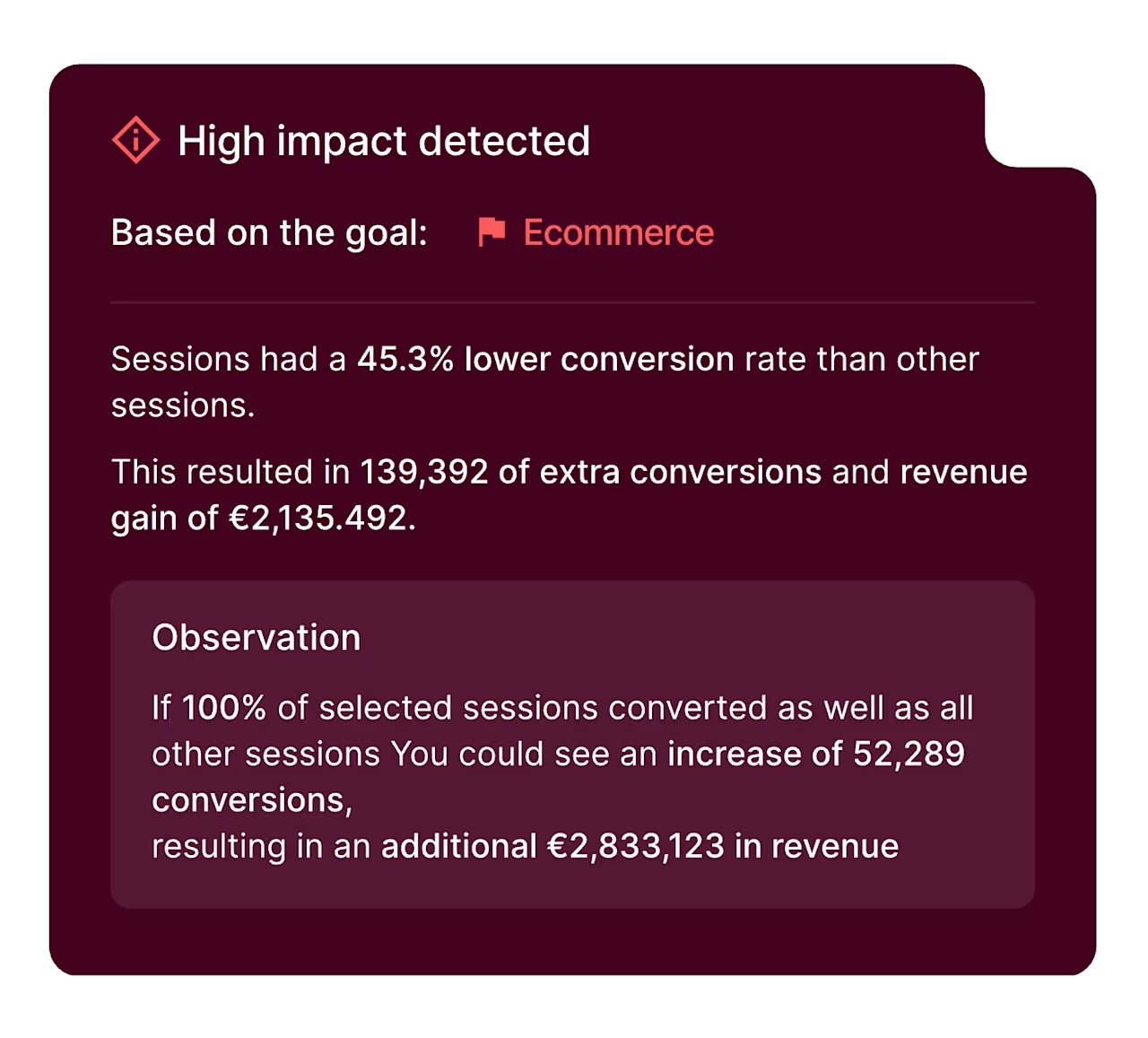
This is where Impact Quantification helps: it connects an issue directly to lost revenue or missed conversions, so your team spends effort where it moves the numbers most.
Real-time alerting
The sooner you know about a problem, the fewer users it touches. Real-time alerting flags issues as they emerge, rather than in a weekly report. That protects both your users and your revenue.
7 best AI tools for root cause analysis
The tools below span very different problems, from network outages to factory defects to lost online sales. No single tool wins everywhere, so we grouped these root cause analysis tools by the kind of cause each one solves best. Here are 7 worth knowing.
1. Contentsquare
Best for: digital experience and customer-behavior root cause analysis.
Contentsquare is an experience intelligence platform that shows exactly where users hesitate, rage-click, or abandon. Error Analysis ranks issues by business impact, Journey Analysis pinpoints where visitors drop off, and Sense answers your questions in plain language.
![[visual] Focus on the errors costing you revenue with Contentsquare Error Analysis](http://images.ctfassets.net/gwbpo1m641r7/5QlIUckDWacLZEhq9nwq4j/f78ca61a0dacf4cc9fbfc9d49ed3dec2/Contentsquare-vs-Pendo-error-analysis.png?w=1280&q=85&fit=scale&fm=avif)
2. BigPanda
Best for: IT incident root cause analysis.
BigPanda correlates alerts with change data to surface the likely cause of an incident. This helps operations teams cut mean time to resolution (MTTR), the average time it takes to fix an issue.
3. Logz.io
Best for: observability and log analysis.
Logz.io offers an AI agent that investigates alerts and pinpoints where a problem was first introduced. It suits teams that live in logs, metrics, and traces.
4. Selector
Best for: network and AI-driven IT operations (AIOps) correlation.
Selector applies AI to correlate network and infrastructure signals, with a natural-language copilot for questions. It aims to turn noisy alerts into a short list of probable causes.
5. EasyRCA
Best for: structured, methodology-led investigations.
EasyRCA is root cause analysis software with AI-assisted cause suggestions and cause-and-effect modeling. It suits reliability and quality teams that want a repeatable, documented process.
6. Seeq
Best for: manufacturing and process data.
Seeq provides time-series analytics for industrial and process root cause investigation. It helps engineers explain downtime and quality issues from sensor data.
7. causaLens
Best for: causal AI and true driver analysis.
causaLens uses causal AI to identify the real drivers of an outcome rather than spurious correlations. This matters because two things can move together without one causing the other.
AI root cause analysis across different teams
The core idea, find the true cause and stop the repeat, applies far beyond one department. What changes is the data each team works with. Here's how root cause analysis shows up in 4 common settings.
1. IT operations and observability
IT and reliability teams use root cause analysis for incident management, the workflow of detecting, diagnosing, and resolving outages. Faster diagnosis lowers mean time to resolution, which keeps services online and users satisfied.
2. Software testing and QA
Quality assurance (QA) teams face a flood of test failures, and not all point to the same defect. AI helps classify those failures and localize the cause, so engineers fix the real bug instead of chasing duplicates.
3. Manufacturing and quality
On a production line, a root cause might be a worn part or a bad batch of material. AI reads sensor and quality data to explain downtime and defects. Those findings then feed corrective and preventive action (CAPA), the formal steps teams take to fix an issue and stop it returning.
4. Digital experience and customer experience
When the problem is a lost sale, the root cause lives in the customer journey. Session Replay lets you watch real recordings of user sessions, so you see friction in context instead of guessing. Journey Analysis and Funnel Analysis then show where users drop off across steps like checkout.
![[Visual] Contentsquare-vs-UXCam-vs-Amplitude-journey analysis](http://images.ctfassets.net/gwbpo1m641r7/6bAMOzB579iaIxjR0fSUPr/b2e10d6a2ee0fda5b984b4abb1dca78d/Amplitude-vs-UXCam-vs-Contentsquare-journey-analysis.png?w=1280&q=85&fit=scale&fm=avif)
Conversation Intelligence adds the why from support conversations, uncovering the need or frustration behind each contact. And this behavioral view matters more each year. In our recent Benchmarks Report, API errors rose 16% year over year, an emerging and harder-to-spot source of friction.
![[Visual] Contentsquare-Conversation-Intelligence-AI-Agent-Analytics](http://images.ctfassets.net/gwbpo1m641r7/4E6ObwkAQhxRWQ22bzYqbP/8876da3e8d5c0a09450ca3273088bb8c/Contentsquare-Conversation-Intelligence-AI-Agent-Analytics.png?w=1280&q=85&fit=scale&fm=avif)
How AI improves on traditional root cause analysis methods
Root cause analysis methods existed long before AI, and the good ones still work. AI doesn't throw them out. It adds data and speed to frameworks people already trust. Here are 3 classic methods and how AI strengthens each:
1. 5 Whys analysis: the 5 Whys method asks why repeatedly until you reach the root cause, usually about 5 times. It's fast for simple problems. AI strengthens it by backing each answer with real data instead of opinion.
2. Fishbone diagram: a fishbone diagram, also called a cause-and-effect diagram, organizes possible causes into categories so a team can review them together. AI helps by testing which of those suspected causes actually occurred in your data.
3. Fault tree analysis: fault tree analysis maps how smaller failures combine to create a bigger one. It's common in safety and engineering work. AI quantifies which paths through the tree most often drive the failure, so you focus on the riskiest ones.
How to get started with AI root cause analysis
You don't need to boil the ocean to begin. Start where your costliest problems keep recurring, whether that's checkout drop-off, repeat outages, or line downtime. Fixing one expensive, repeating issue builds momentum and proves the value fast.
From there, keep 3 habits in mind:
1. Pair AI with human judgment: let the tool narrow the suspects, then have a person confirm the cause
2. Feed findings back in: every confirmed cause teaches the model and sharpens its next answer
3. Measure the impact: track whether the fix actually reduced errors, drop-offs, or resolution time
Small friction fixes add up. Specsavers used Contentsquare to connect site speed to conversions and boosted its optics booking conversion rate by 33%, as shown in the Specsavers customer story. Pirelli took a similar path and lifted its site-wide conversion rate by 14%. That's the payoff of finding and fixing the real cause.
Frequently asked questions
Root cause analysis is the process of finding the underlying reason a problem happened. It lets you fix an issue at the source and prevent it from returning, rather than treating the symptom.

Dana is a copywriting specialist with deep expertise in creating assets like blog posts and landing pages that position organizations as the obvious first choice in their market. She holds a Bachelor of Business Administration in Marketing and has over 10 years of experience helping leading B2B brands drive traffic and increase conversions. Having taught more than 1,000 entrepreneurs the art of persuasive copywriting, Dana brings unique insight into what resonates with audiences and delivers results.
![[Stock] Unlocking the power of customer journey visualization – Step by step — Cover Image](http://images.ctfassets.net/gwbpo1m641r7/1E3yKJe4En4Jq36yjJl4vW/f7befc254b7ce2102e5ebe1e4586814b/customer-journey-visualization-people-draw-1.jpg?w=624&q=85&fit=scale&fm=avif)
![[Visual] Wesbite usability and B2B - stock image](http://images.ctfassets.net/gwbpo1m641r7/6f58ikhwJpzoO9Eyd16Mnf/558dc3756f3ef9a0fdbaea70d94280d2/AdobeStock_664400008.jpeg?w=624&q=85&fit=scale&fm=avif)