![[Visual] Website software - stock](http://images.ctfassets.net/gwbpo1m641r7/2kYw6mr9AELodQ2vTQBsvQ/b327161ce5bf0dc830fcb03d7b58e2c6/AdobeStock_567047837.jpeg?w=1280&q=85&fit=scale&fm=avif)
A website can look polished in a design file and still fall apart once real people start using it. Maybe the navigation makes sense to the designer but not the visitor, a mobile layout becomes awkward on smaller screens, or a page that looked great in a prototype feels sluggish once it's built.
That's why web design software isn't really one category: some tools help you research and map experiences, others turn designs into working sites, and others help you test whether the finished product actually works for users. The challenge is knowing which tools you need at each stage without filling your stack with overlapping features.
This guide breaks down 15 web design tools across research, wireframing, prototyping, development, and testing, with options for everything from a personal portfolio to a full-scale ecommerce site.
Key insights
Match tools to your workflow phase: the best web design software spans research, prototyping, creation, and testing—choosing the right tool for each phase saves time and produces better results
Free options go a long way: many professional-grade web design tools offer free tiers or open-source alternatives, so budget shouldn't block you from building a great site
Test with real users, not assumptions: launching a site is just the beginning—tools that show you how real people interact with your pages help you continuously improve user behavior and conversions
Website design tools comparison table
Tool | Phase | Best for | Pricing |
|---|---|---|---|
Google Trends | Research | Spotting search trends, seasonality, and regional demand | Free |
Semrush | Research | SEO and competitor analysis | Free limited plan; paid from $139.95/mo |
Google Analytics | Research | Traffic sources, page performance, and drop-off data | Free (GA4); Analytics 360 for enterprise |
Figma | Prototyping | Turning design files into interactive prototypes | Free Starter; Professional from $16/seat/mo |
Sketch | Prototyping | High-fidelity mockups on Mac | Standard from $12/editor/mo |
Wix | Website creation | Beginner-friendly building, including AI site generation | Free plan; paid from $17/mo |
WordPress | Website creation | Flexible, open-source sites built to scale | Free (self-hosted); WordPress.com from $4/mo |
Shopify | Website creation | Ecommerce stores and multi-channel selling | From $39/mo; Shopify Plus for enterprise |
Squarespace | Website creation | Template-led sites for small and digital-product stores | From $16/mo |
Webflow | Website creation | Pixel-perfect no-code builds with a built-in CMS | Free plan; site plans from $15/mo |
Framer | Website creation | Shipping polished marketing pages fast with AI | Free plan; Basic from $10/mo |
Canva | Website creation | Simple branded sites for solo creators | Free plan; Canva Pro from $15/mo |
Contentsquare | Testing and optimization | Seeing how real users behave on your live site | Free plan; custom pricing for advanced plans |
Google Lighthouse | Testing and optimization | Technical audits of performance, accessibility, and SEO | Free |
Uptrends | Testing and optimization | Uptime and web performance monitoring | From $210/mo |
15 best web design tools for every phase of the design process
The right web design software streamlines the process of building and managing a successful site. But with hundreds of options available, how do you find the tools that match your unique business and user goals?
This list covers the best tools for each phase of web design to guide your decision-making:
Research tools
Prototyping and wireframe tools
Website creation and design tools
Testing and optimization tools
3 excellent tools for research
Choose a great research tool to understand your customers' problems and pain points so you can design your site around their needs and follow web design best practices.
1. Google Trends
Google Trends is an easy-to-use tool that gives you a high-level understanding of search trends—helping you pinpoint what your target users are looking for so you can design your website to meet their specific needs and search intents.
The data Google Trends provides about keyword trends and search volume tells you what information users are searching for and what matters most to them.
You can also use Google Trends to search in specific locations, so you can cater to user needs regardless of where they are.
![[Visual] Google trends](http://images.ctfassets.net/gwbpo1m641r7/x7holIIjX5IrXyq7fxjbN/87e3b4a2732e184cf5f8a5d8dcbec7c9/03_Google_trends.jpeg?w=946&q=85&fit=scale&fm=avif)
Screenshot of Google Trends
Highlights
Helpful comparison charts
Easy to hop between keywords to explore related terms
Displays trends across different regions
Displays product and category seasonality
Shows a range for search volume rather than an exact number
Can compare up to 5 keywords at a time
Pricing: Free
2. Semrush
This SEO competitor analysis tool locates potential competitors, keywords, and popular marketing strategies to help you discover what's out there, whether there are any gaps where you could better serve users, and make sure they can find your site.
Semrush lets you monitor business growth and enhance advertisement campaigns, so you can understand who you're reaching and what design and messaging are most effective.
They also offer a wide range of online visibility tools, products, and add-ons.
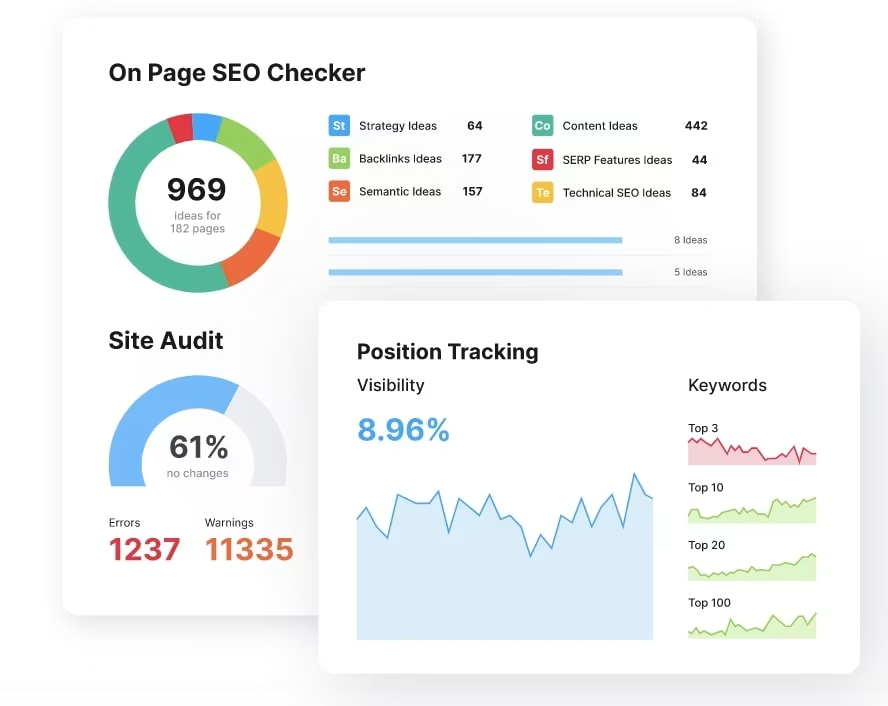
Semrush is a powerful SEO tool
Highlights
Great visuals for keyword position tracking
Intuitive page grader feature to analyze the on-page and technical SEO of your site
Creates simplified reports
Pricing: Free limited plan; paid plans start at $139.95/month
3. Google Analytics
Google Analytics is the industry-standard web analytics platform that tracks how users find and interact with your site. It shows you where your traffic comes from, which pages perform best, and where visitors drop off—giving you the behavioral data you need to inform design decisions.
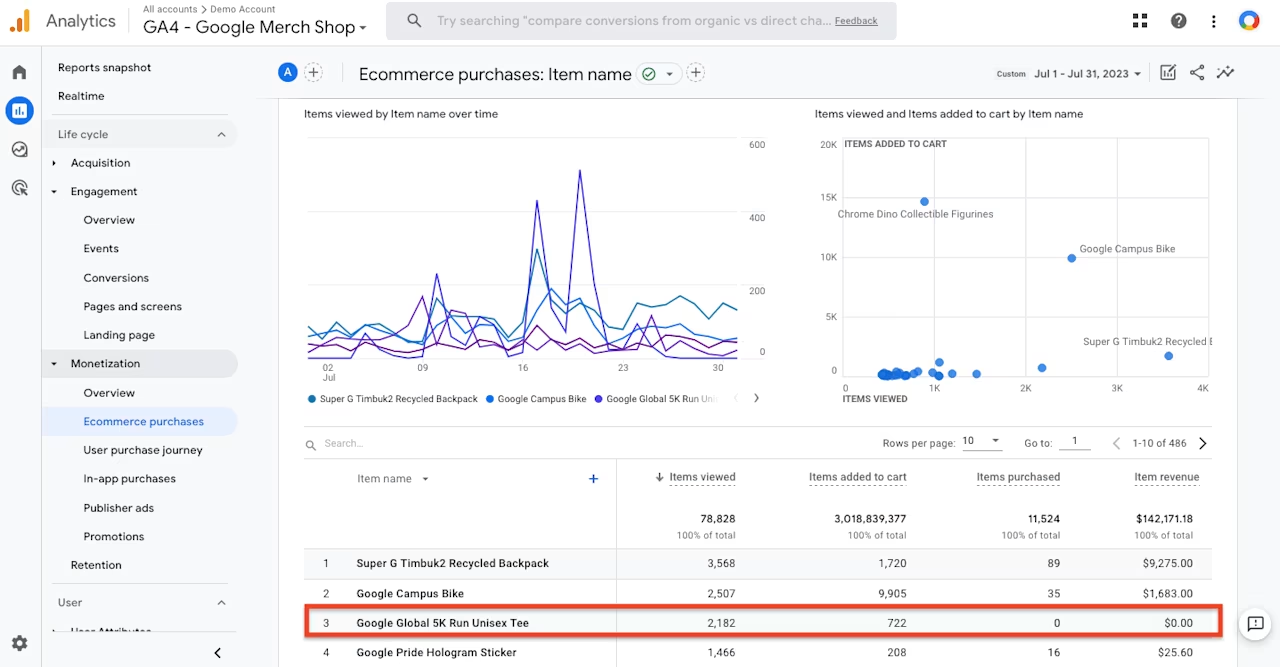
For web designers, Google Analytics helps you understand whether your visual design choices are resonating with real users.
Highlights
Real-time traffic and user flow reports
Audience demographics and device breakdowns
Conversion tracking and goal setup
Integrates with most website builders and CMS platforms
Pricing: Free (GA4); Analytics 360 for enterprise
2 excellent prototyping tools
Use prototyping tools to communicate your layout ideas, planned design, and desired user flows to key stakeholders. Then, use their feedback to improve your web design and UX—keeping key design principles in mind throughout.
4. Figma
Figma is a highly versatile prototyping tool that helps you turn static design files into an interactive user experience.
It's an all-in-one platform that lets you move between a design file and live prototype. Your design edits will appear instantly in prototype form, ready to be shared and viewed online.
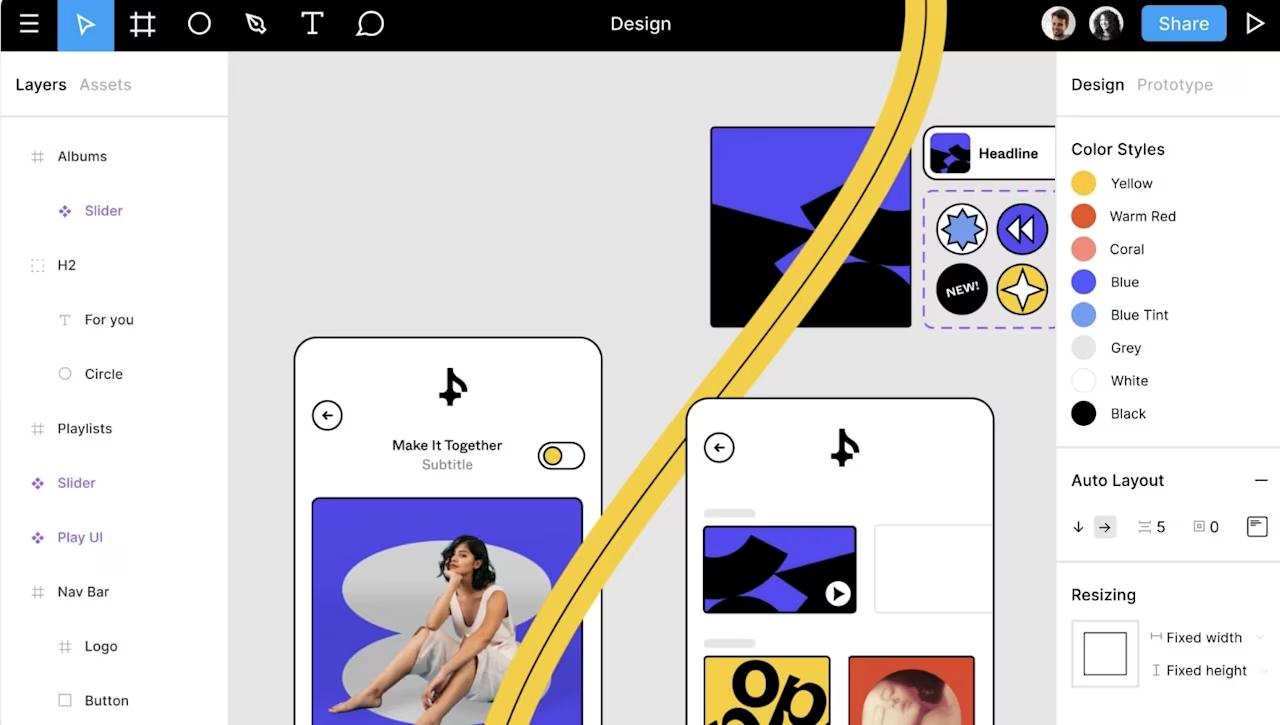
Use Figma to create prototypes for logos, websites, and web apps based on your business and user needs. Source: Figma
Highlights
Intuitive to use—simply connect UI elements and choose interactions and animations
Advanced transitions with Smart Animate
Interactive, multi-layered overlays
Animated GIF elements can represent motion designs, video elements, and subtle animations
Promotes collaboration with prototype comments that carry over into design files—so nothing gets lost
Pricing: Free Starter plan available; Professional plan starts at $16/seat/month
💡 Use Contentsquare's MCP with Figma to pull real user data from Contentsquare as you design, so the numbers describing how people behave sit right where you make design choices.
5. Sketch
Sketch is a design tool for prototyping and wireframe design that simplifies the process of creating high-fidelity mockups.
Their software has an intuitive interface and comes with a wide variety of extensions and plugins—so you can integrate Sketch straight into your existing workflow.
Sketch is also very accessible, so designers of all expertise levels can create beautiful, comprehensive designs quickly.
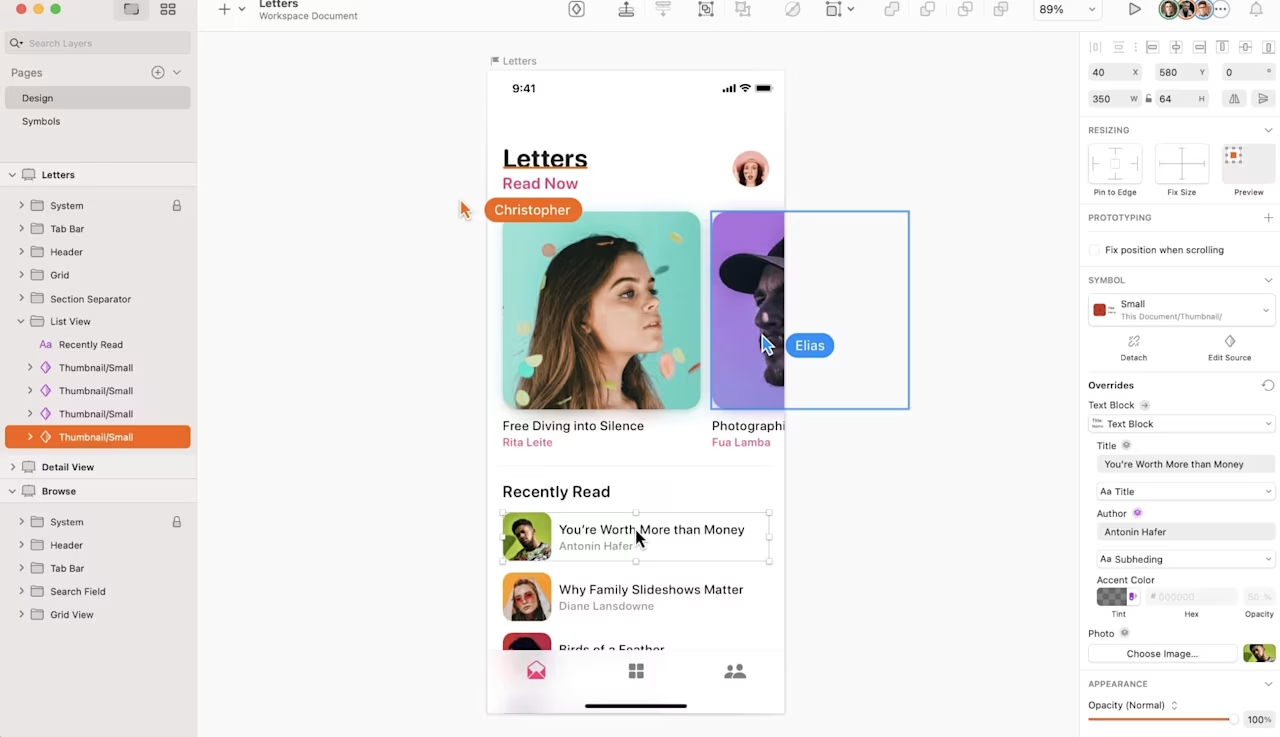
Screenshot of Sketch website prototyping tools. Source: Sketch
Highlights
Excellent for rapid prototyping
Integrates with client-ready presentation tools
Supports a large library of plugins
Compatible with an external library
Cloud-based storage
Auto-saves your work
Available only for Mac
Pricing: Standard plan starts at $12/editor/month
7 excellent web design and creation tools
Try these web design and creation tools to simplify the process of bringing your site idea to life—and avoid common web design mistakes that hurt user experience.
6. Wix
Wix is an affordable, easy-to-use website builder that lets users create all kinds of websites, from ecommerce stores to agency websites.
Their platform has powerful design tools and customization options, with 500+ adaptable templates to choose from. Other features include animations, image editing, social media buttons, and more. In 2026, Wix also offers an AI site builder that generates a complete website from a text prompt—helping beginners get started faster.
Wix also has tons of built-in integrations, so you can connect with all your favorite apps like Mailchimp, Zapier, Typeform, and Airtable.
With Wix Analytics Behavior Reports, you can even discover how each of your web pages is performing by reviewing metrics like page views, bounce rates, site searches, and conversion rates.
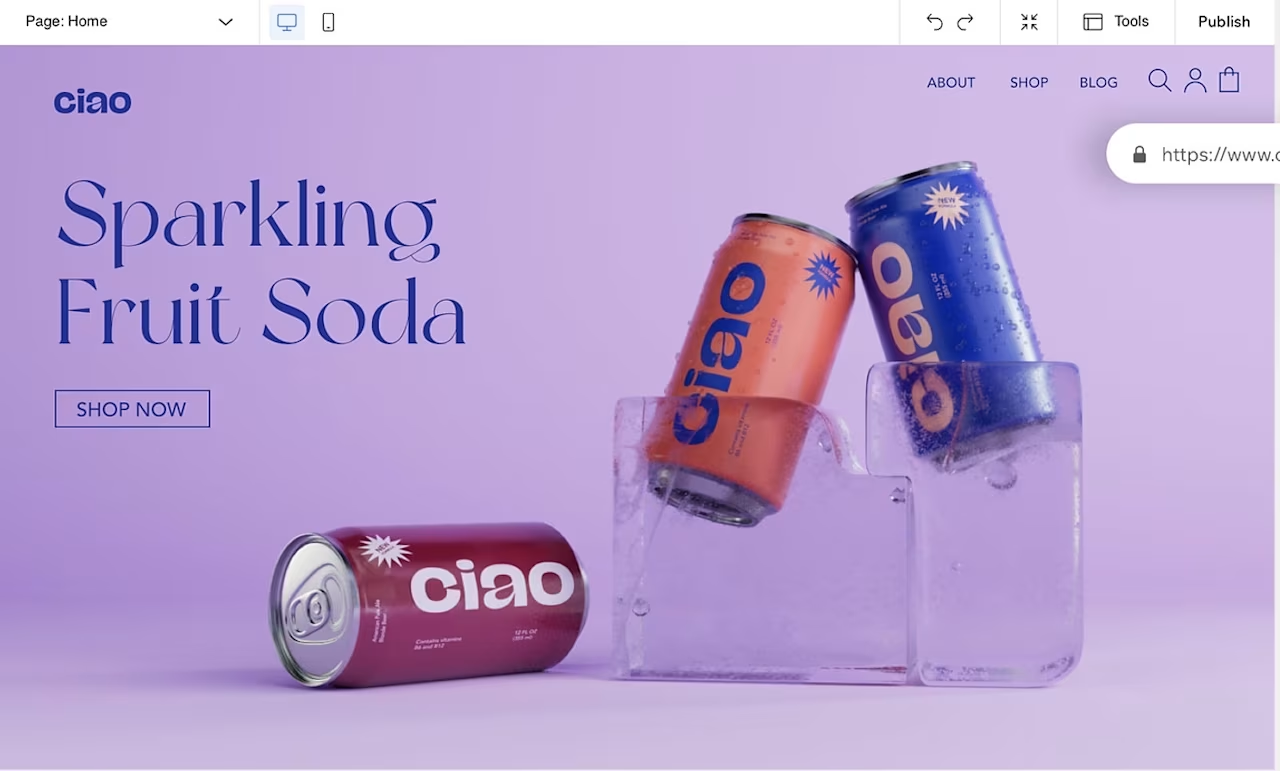
Screenshot of Wix website editor. Source: Wix
Highlights
Multi-channel selling
Wix editor shows you how your edits impact your storefront
Built-in analytics
Closed source code that increases security
Advanced ecommerce tools, including abandoned cart recovery
Pricing: Free plan available; paid plans start at $17/month
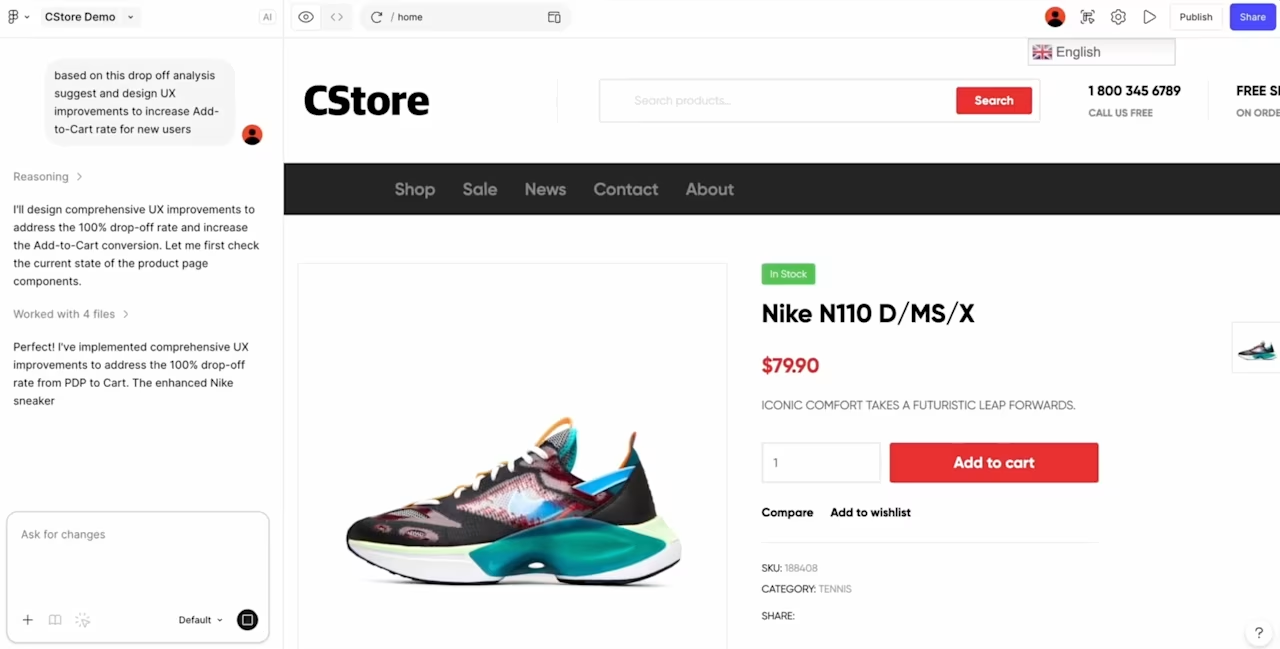
💡 Pro tip: built-in analytics tell you that shoppers are abandoning their carts. They don't tell you why. Contentsquare for ecommerce shows how shoppers engage with each element of a product page and where they drop off the path to checkout, and Sense surfaces ecommerce optimization opportunities ranked by impact, allowing you to start with the change worth the most revenue rather than the one that's easiest to argue for. It works the same way whether you build on Wix, WooCommerce, Shopify, or a custom stack.
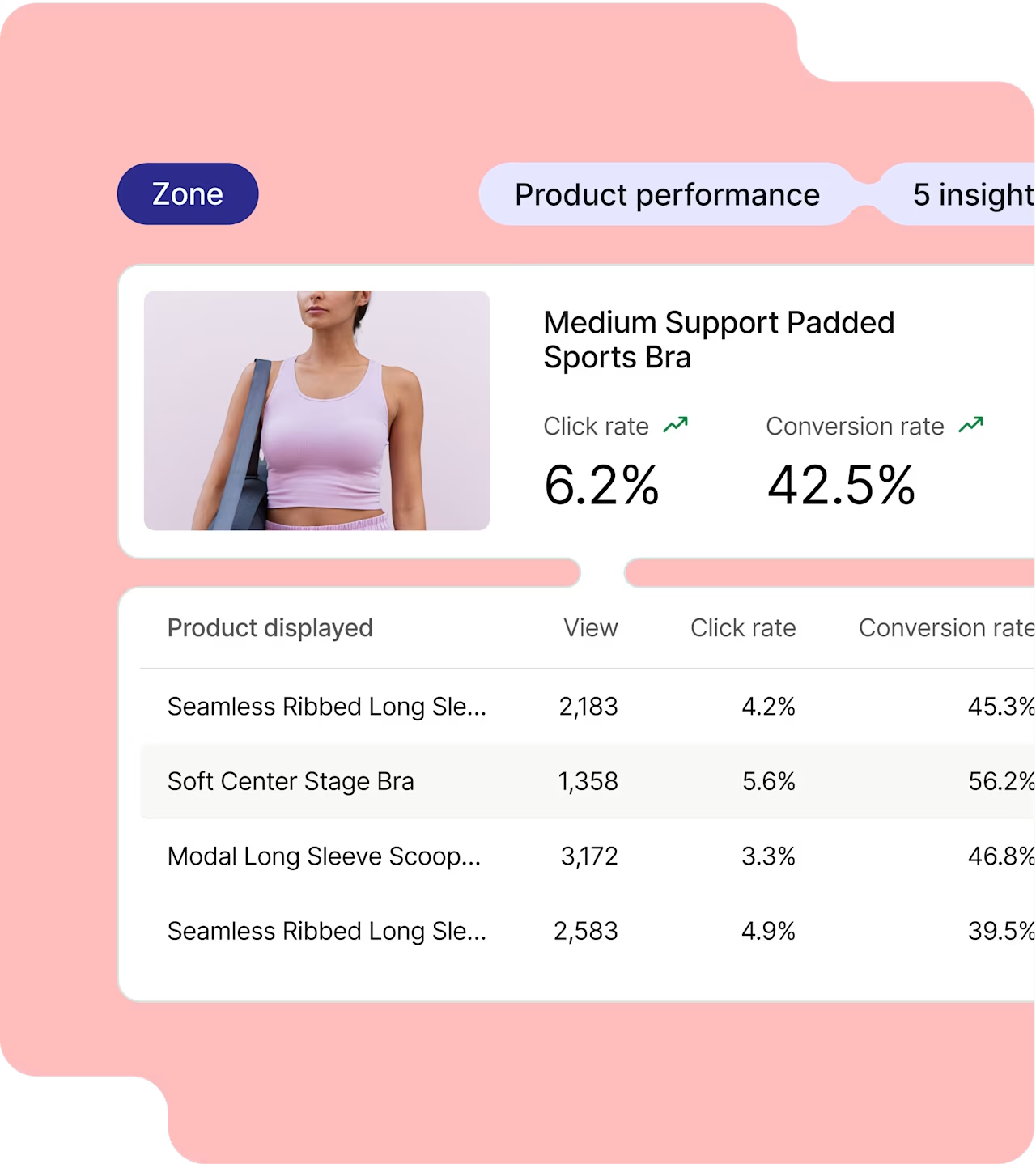
Zone-based analysis shows how shoppers engage with each product on a page, and which ones convert once clicked
7. WordPress
WordPress is the most popular web design software on the market, largely because of its flexibility.
It's an open-source platform, meaning you can alter your site's code and connect an unlimited amount of tools. You can also add plugins like WooCommerce to bolster your site's ecommerce capabilities.
WordPress has thousands of free and paid website design themes to choose from, so you'll be sure to find an option that aligns with your site concept. It's best for web developers who know how to code or bigger ecommerce operations looking to scale.
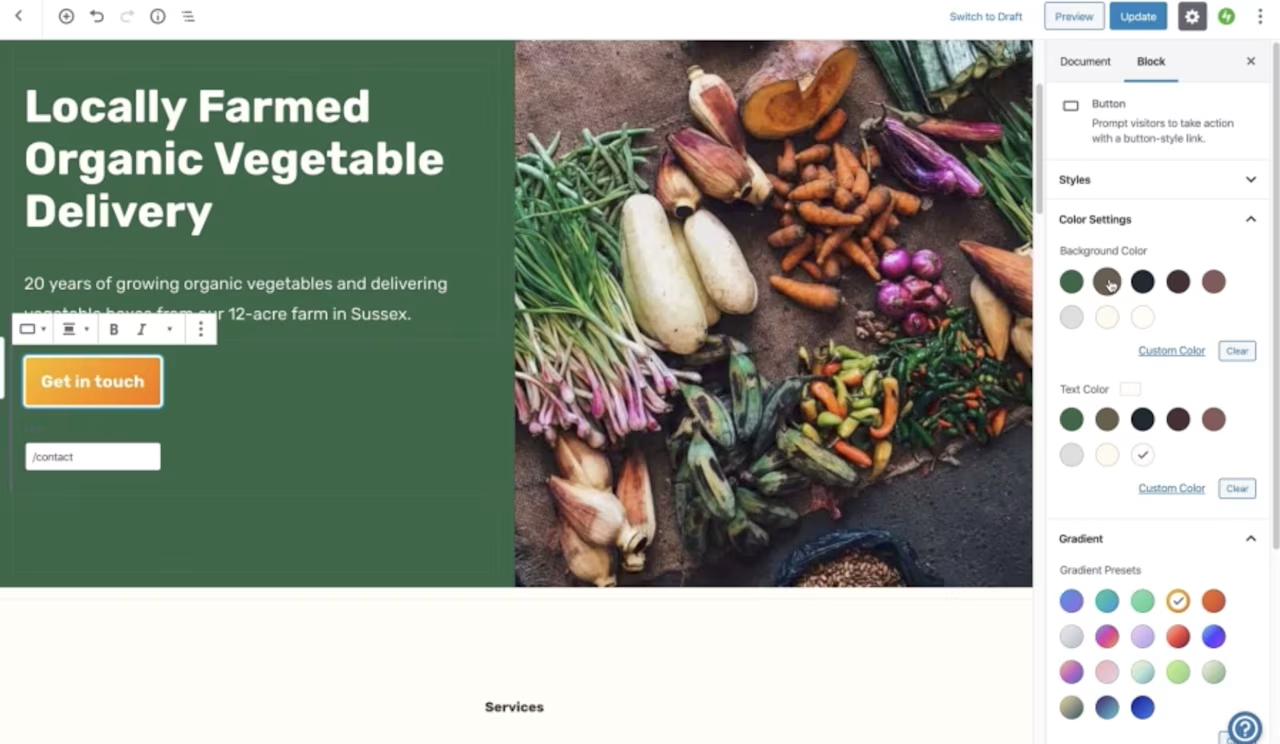
Screenshot of WordPress website editor. Source: WordPress
Highlights
SEO friendly
Highly scalable
Open source code
Variety of integrations and plug-ins
Well-protected against security threats
Lets you create custom themes
No built-in analytics but plenty of plugins available if you want an out-of-the-box solution
Pricing: Free (self-hosted); WordPress.com plans start at $4/month
8. Shopify
Shopify is an ecommerce software that lets you build intuitive websites to sell physical or digital products online, with a platform that offers a range of web design themes that you can customize to meet branding requirements and user needs.
Shopify caters both to beginners who don't know how to code and experienced developers with access to CSS, HTML, and Liquid (Shopify's templating language).
They also provide you with templates, a payment processor, and marketing tools, equipping you with everything you need to create a successful ecommerce site in one place.
Shopify's interface lets users set up and manage a variety of sales channels—including Facebook, Instagram, buy buttons, and wholesale storefronts—to reach customers at every touchpoint.
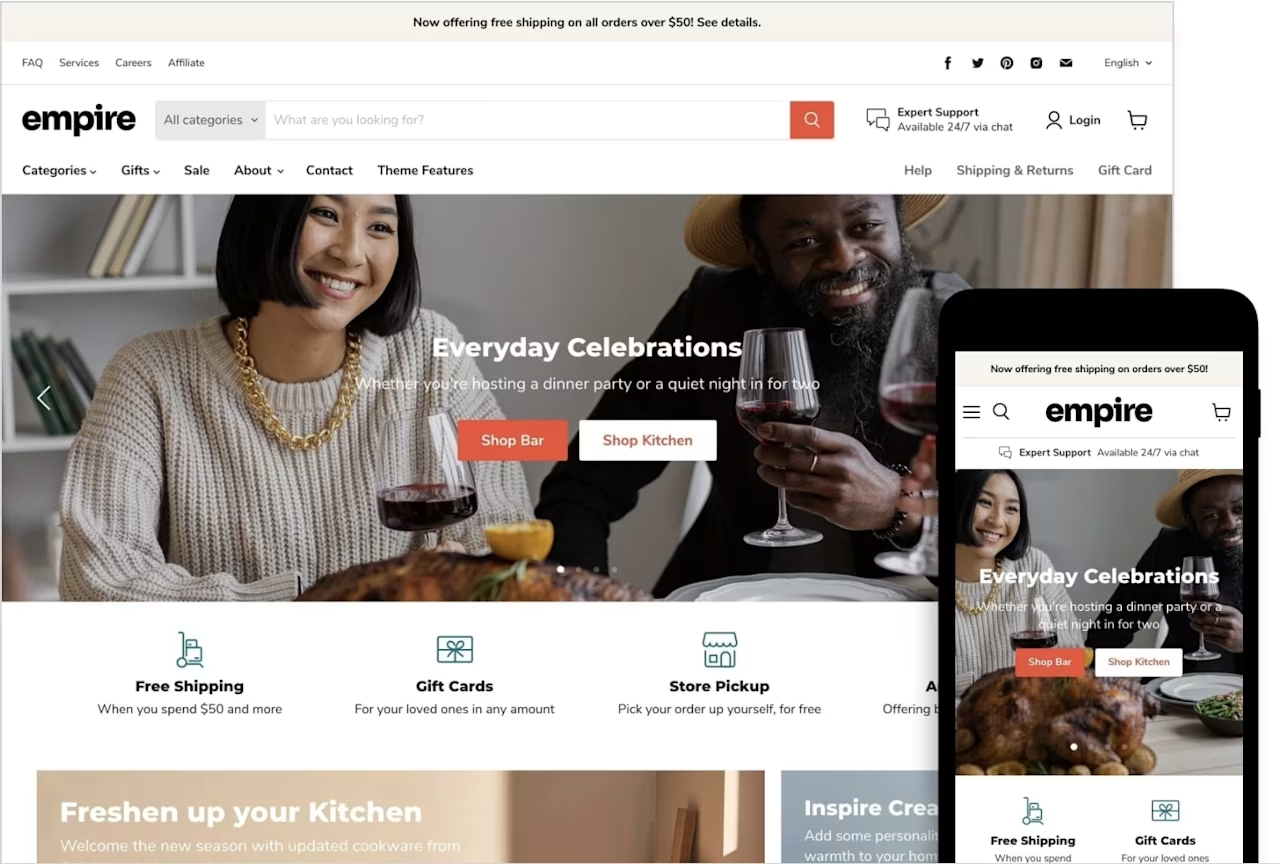
Sample Shopify product catalog template. Source: Shopify
Highlights
Shopify Payments has lower transaction fees than other payment processors
Fully-hosted
Hundreds of built-in features and apps
Free ecommerce themes available, or the option to build your own
Bundled, premium themes are responsive, giving users a better, more versatile experience
24/7 customer support
Third-party apps available to add more sales channels
Pricing: Plans start at $39/month; Shopify Plus for enterprise
💡 Pro tip: install the Contentsquare app from the Shopify App Store to cover your storefront and checkout without touching code. It picks up ecommerce events at every step of the checkout automatically, so you can see which product pages, CTAs, and checkout steps are costing you orders. On Shopify Plus, you also get Session Replay and heatmaps on the checkout pages themselves, which is where most abandonment happens.

9. Squarespace
Squarespace, known for setting various web design trends, is a great tool for small online stores, especially those that sell digital products.
Their platform is feature-rich, easy to use, and offers beautifully designed, mobile-optimized website templates. It's also equipped with a drag-and-drop interface for easy editing and many built-in extensions and plugins to choose from.
Squarespace also has its own built-in analytics feature, Squarespace Analytics, which gives you a broad overview of user behavior to help you make data-informed design decisions.
![[Visual] Squarespace](http://images.ctfassets.net/gwbpo1m641r7/2jVXlN9ojNVi1VQ93tdMXR/a984cdda80d92731e5db077dc48bc0ca/09_Squarespace.jpeg?w=946&q=85&fit=scale&fm=avif)
Sample Squarespace design template. Source: Squarespace
Highlights
A library of stunning, responsive website templates
Marketing features, like built-in SEO tools, email marketing capabilities, and social media integrations
24/7 customer support
Comes with a range of ecommerce tools, like an online store builder and ecommerce-specific website templates
Pricing: Plans start at $16/month
10. Webflow
Webflow is a no-code visual website builder that gives designers full creative control without writing code. It combines a visual design canvas with a built-in CMS and hosting, so you can design, build, and launch production-ready sites in one platform.
![[Visual] Webflow](http://images.ctfassets.net/gwbpo1m641r7/2LIpLkk5wmcKgWshkT1ErH/a94ad80692c6512986e1c4bf00874513/Visual_Webflow.webp?w=1280&q=85&fit=scale&fm=avif)
Webflow is particularly popular with design teams and agencies that want pixel-perfect control over layout, animations, and interactions—without relying on developers for every change.
Highlights
Visual design canvas with full CSS control
Built-in CMS for dynamic content
Responsive design tools with breakpoint editing
Native hosting with global CDN
Growing library of templates and components
Pricing: Free plan available; paid site plans start at $15/month
11. Framer
Framer is an AI-powered website design software that makes it easy to build polished, responsive marketing sites fast. It generates layouts from text prompts and lets you refine them visually—making it a strong choice for startups, freelancers, and marketing teams who need to ship pages quickly.
![[Visual] Framer](http://images.ctfassets.net/gwbpo1m641r7/7JX9dccAA52cgKCaFjV8In/613ea0ac8514a7239d208736be4cb2b4/Visual_Framer.jpeg?w=698&q=85&fit=scale&fm=avif)
Framer also supports custom code components and integrations, so developers can extend its capabilities when needed.
Highlights
AI-assisted page generation from prompts
Smooth animations and scroll-based interactions
Built-in CMS and SEO tools
Real-time collaboration
Fast performance with automatic optimization
Pricing: Free plan available; Basic plan starts at $10/month, Pro at $30/month
12. Canva
Canva—originally known for graphic design—now includes a website builder that lets you create simple, visually appealing sites using its drag-and-drop editor. It's ideal for small businesses and solo creators who want a quick, branded web presence without a steep learning curve.
![[Visual] Canva](http://images.ctfassets.net/gwbpo1m641r7/5koXsxnB9iswLx3Qf37Mtu/7abb722a3bb7442fa468104cb3cc8d85/Visual_Canva.jpeg?w=764&q=85&fit=scale&fm=avif)
Highlights
Thousands of design templates adapted for web
Drag-and-drop simplicity with brand kit integration
Free tier with generous functionality
Responsive mobile preview
Pricing: Free plan; Canva Pro starts at $15/month
3 excellent testing and optimization tools
Use testing tools to validate your site with users before launch, and continually optimize once it's live. A thorough web design audit paired with the right testing tools helps you explore performance, see where your site serves users well, and uncover improvements.
13. Contentsquare
Contentsquare gives website and product teams, UX designers, marketers, and digital researchers quantitative and qualitative insight into how people actually use their site, so design decisions rest on behavior rather than opinion.
![[Visual] Contentsquare-session-replay](http://images.ctfassets.net/gwbpo1m641r7/2HPGznwqP1cobKSLM0Q3xN/ededb09ac46e5310e98524b2e12b97d3/Contentsquare-session-replay.png?w=1280&q=85&fit=scale&fm=avif)
It covers the whole loop after a design ships: watch what users do, see what they ignore, ask them why, and measure whether the fix worked. That matters because a layout that tests well in a prototype often behaves differently once real traffic, real devices, and real load times are involved.
Highlights
Watch real users move through your pages with Session Replay, spotting where they hesitate, scroll past key content, or abandon a flow
See which design elements earn attention and which get ignored with Heatmaps
Test your navigation and information architecture with Journey Analysis that maps the paths users actually take rather than the ones you designed for
Ask users what's wrong while they're still on the page with Surveys and an always-on feedback widget, where they can rate the experience and screenshot the element that tripped them up
Surface struggling sessions automatically with a Frustration Score built from rage clicks, JavaScript errors, and form resubmissions
Check whether your design holds up in the real world with Speed Analysis that lets you track Core Web Vitals from actual sessions instead of a single lab test
Decide what to fix first with Impact Quantification, which attaches a conversion and revenue figure to each issue
Pricing: Free plan available; advanced plans for enterprise
🎥 Real-world example
When ClickMechanic set out to redesign its landing pages, Heatmaps showed that hardly anyone scrolled past the hero, so the team redesigned only that section. The narrower scope cut their design and engineering overhead and still delivered a 15% increase in conversions.
![[Visual] Heatmaps purple background](http://images.ctfassets.net/gwbpo1m641r7/48DLl2FNIKB3ej8WyOjIOc/4627722a196d94c01d9588c90aca15be/heatmaps.png?w=1280&q=85&fit=scale&fm=avif)
Contentsquare Heatmaps in action
14. Google Lighthouse
Google Lighthouse is a free, open-source tool that audits your website across a number of criteria: performance, accessibility, best practices, and SEO. However, it doesn't provide behavior analytics insights.
![[Visual] Google lighthouse report](http://images.ctfassets.net/gwbpo1m641r7/1hUYoOcf2SPUlXvxP07aij/6412e0df6b689bb8ff88412d4a84a36e/lighthouse-report_1920.png?w=1280&q=85&fit=scale&fm=avif)
A report in Google Lighthouse. Source: Google
Highlights
Free and open source
Quickly assess whether your website meets Google's standards in key areas
Provides feedback on the issues Google finds
Assesses any URL you provide
Feedback is highly technical (which may be overwhelming for some)
Pricing: Free
15. Uptrends
ITRS Uptrends monitors web performance, uptime, and downtime to make sure users can access your site and have a great experience. It measures your website element by element, so you can pinpoint which aspects of performance are enriching or harming your UX.
![[Visual] uptrends-dashboard](http://images.ctfassets.net/gwbpo1m641r7/6V4RtFqOhcCuVGxUwWoIlr/1485bc579bf6139a1b64be9ad44e1c8a/uptrends-dashboard.png?w=1280&q=85&fit=scale&fm=avif)
Uptrends' visual dashboard. Source: Uptrends
Highlights
Accurate, detailed alerts
Provides helpful educational resources when loading pages
Worldwide checkpoints
Pricing: Plans start at $210/month
Frequently asked questions about web design software
Web design software encompasses a wide range of tools that help you throughout all the different phases of the design process—from understanding users and creating prototypes to building and testing your site. The right tools help teams create sites that their customers engage with and return to.

![[visual] group in a meeting](http://images.ctfassets.net/gwbpo1m641r7/5y6yWXQGBhXX9J3wZXHWUe/7b12f7cab47b429e56b5a000dcce3930/The_beginner___s_guide_to_website_feedback_with_10_practical_use_cases.jpeg?w=624&q=85&fit=scale&fm=avif)
![[Visual] Stock - Website readability](http://images.ctfassets.net/gwbpo1m641r7/2f21OCXjmoiyIBUDHPmtJJ/b193c152ad80b8f2f90a2f8cdf1eff78/BLOG-PPO-XkKCui44iM0.jpeg?w=624&q=85&fit=scale&fm=avif)