![[Visual] AI analytics home - stock](http://images.ctfassets.net/gwbpo1m641r7/64i3HakmQ9aHWYWEEqpFUM/f1d5d2a41b5c7d7a523a34b58bd50ece/AdobeStock_634961399.png?w=1280&q=85&fit=scale&fm=avif)
Google Analytics can tell you how many people visited your website, where they came from, and whether they converted. But when you're trying to understand why users behave the way they do, those numbers often leave important questions unanswered.
That's one reason many teams look beyond Google Analytics. Some want a simpler reporting experience. Others need deeper behavioral insights, privacy-friendly tracking, or features designed for optimization rather than measurement alone.
Fortunately, there are plenty of tools that can fill those gaps—whether you're replacing Google Analytics entirely or adding complementary capabilities to your existing stack.
This guide explores 12 Google Analytics alternatives that can help you track performance, better understand your users, and uncover opportunities to grow your website in 2026.
Key takeaways
Google Analytics alternatives range from simple, privacy-first tools like Plausible and Fathom to enterprise platforms like Adobe Analytics
Many alternatives offer cookieless tracking, eliminating consent banner requirements and capturing more visitor data
The best choice depends on your priorities: privacy compliance, ease of use, behavioral insights, or advanced enterprise features
You can often use an alternative alongside Google Analytics 4 (GA4) rather than replacing it entirely
Google Analytics alternatives at a glance
Tool | Best for | Pricing | Key feature | Privacy focus |
|---|---|---|---|---|
Contentsquare | Behavioral insights + analytics | Free tier available; paid plans for advanced features | Heatmaps, session replay, journey analysis | Yes |
Matomo | Full-featured, privacy-first analytics | Free (self-hosted); Cloud from $23/month | Complete data ownership | Yes |
Plausible | Simple, lightweight analytics | From $9/month | Sub-1KB script size | Yes |
Fathom | Privacy-focused simplicity | From $14/month | One-page dashboard | Yes |
Piwik Pro | Enterprise analytics + customer data platform (CDP) | Free Core plan; Enterprise on request | Consent management built-in | Yes |
Adobe Analytics | Enterprise multi-channel | Enterprise pricing (typically $100k+/year) | Multi-channel attribution | Partial |
Mixpanel | Product analytics | Free up to 20M events; Growth from $20/month | Event-based tracking | Partial |
Woopra | Customer journey analytics | Free up to 500k actions; Pro from $999/month | Individual user tracking | No |
Clicky | Real-time analytics | Free up to 3k daily pageviews; Pro from $9.99/month | Real-time analytics | Yes |
Statcounter | Simple out-of-the-box solution | Free up to 500 pageviews/month; paid from $9/month | Google Ads integration | Partial |
Simple Analytics | GDPR-compliant simplicity | From $9/month | EU-based, no cookies | Yes |
Amplitude | Product analytics at scale | Free up to 10M events; paid from $49/month | Behavioral cohorts | Partial |
The 12 best Google Analytics alternatives
1. Contentsquare
What it is: If you need to understand not just traffic numbers but the behavior behind them, Contentsquare (that's us👋) is a user-friendly AI-powered customer experience intelligence platform that makes it easy to
Dashboards: collect web analytics for your site
Session Replay: watch real user browsing sessions across different pages
Surveys: hear what customers love (and hate) by collecting in-the-moment website user feedback
Funnels and Journey Analysis: see how users move through your funnels and what their actual user journey looks like
Impact Quantification: quantify the impact issues on your site have on your revenue and other key metrics
Sense: ask questions about your site in plain language and get AI-powered analysis, recommendations, and prioritized insights — no dashboard-building or manual digging required
Smart Capture: automatically capture every user interaction from day one with no manual tagging or engineering dependency
Data Connect: export your behavioral data to your existing data warehouse — Snowflake, BigQuery, Databricks, Redshift, or S3 — and combine it with the rest of your business data
![[Product screenshot] Contentsquare platform - Home](http://images.ctfassets.net/gwbpo1m641r7/3bf1kCoHOWFWJIVgPmUJSd/1a463a4cb93ba2af8e78c9a399275ddb/Contentsquare_platform_-_Home.png?w=1280&q=85&fit=scale&fm=avif)
Contentsquare shows you what's happening in your product at a glance
Pricing: Free tier available with core features. Paid plans unlock advanced capabilities like Impact Quantification, which connects behavioral issues directly to revenue impact.
💡 Pro tip: use Contentsquare's Impact Quantification to go beyond what GA can tell you. Where GA shows you a conversion drop, Contentsquare shows you what that drop is costing — attaching a revenue number to each friction point so your team knows exactly what to prioritize and what fixing it is worth.
![[Visual] impact quantification at Contentsquare](http://images.ctfassets.net/gwbpo1m641r7/5LEALEky77QcrDsm85VgW0/5d17d7815d304382149959dbd2c65a46/impact-quantification.png?w=654&q=85&fit=scale&fm=avif)
Contentsquare's Impact Quantification in action
How Contentsquare compares to Google Analytics: Contentsquare tracks website visitors using a single JavaScript snippet, and as a result, can show you some of the same data like bounce rate, number of sessions, and session time.
![[visual] ga4 Manual tracking in G4 vs. smart capture in Contentsquare](http://images.ctfassets.net/gwbpo1m641r7/78PiDmkF2kN2cdu8IdBbXU/dd507f4868603a9fa5620630c84e36f9/GA4-alternative-with-autocapture.png?w=655&q=85&fit=scale&fm=avif)
But where Contentsquare really adds value is by generating a simple way to visualize website behavior and collect customer feedback, with advanced insight filters, custom user attributes, and a large integration library for users.
Contentsquare is also a privacy-first platform: it offers cookieless tracking with no consent banners required, sensitive customer data (like credit card numbers) is not collected or stored, you can block IP address collection, and we are compliant with many privacy regulations.
💡Pro tip: you don't need to choose between Contentsquare and GA. Integrate Contentsquare with Google Analytics to make the most of your data.
2. Matomo Analytics
What it is: Matomo (formerly known as Piwik—nothing to do with Piwik Pro!) is an open-source web analytics platform. There are 2 versions: Matomo On-Premise (self-hosted) and Matomo Cloud (hosted by Matomo).
![[Visual] matomo-analytics-dashboard](http://images.ctfassets.net/gwbpo1m641r7/7FwFzI9slAPF3bbt1Woop3/14b69ef40377e544c7639affc5b9614a/matomo-analytics-dashboard.width-750.png?w=716&q=85&fit=scale&fm=avif)
The location report in Matomo Analytics
Pricing: Free for self-hosted (Matomo On-Premise). Matomo Cloud starts at $23/month.
How Matomo compares to Google Analytics: Matomo offers a lot of the same functionality and reporting options as Universal Analytics. Unlike GA4, Matomo doesn't sample website traffic, gives you complete data ownership, and uses cookieless tracking so you can capture the activity of more site visitors while complying with the General Data Protection Regulation (GDPR) and other privacy guidelines. However, you'll need enough technical knowledge to set it up on a server (unless you're willing to pay for Matomo Cloud).
3. Plausible Analytics
What it is: Plausible is a stripped-down, open-source, cookieless web analytics tool.
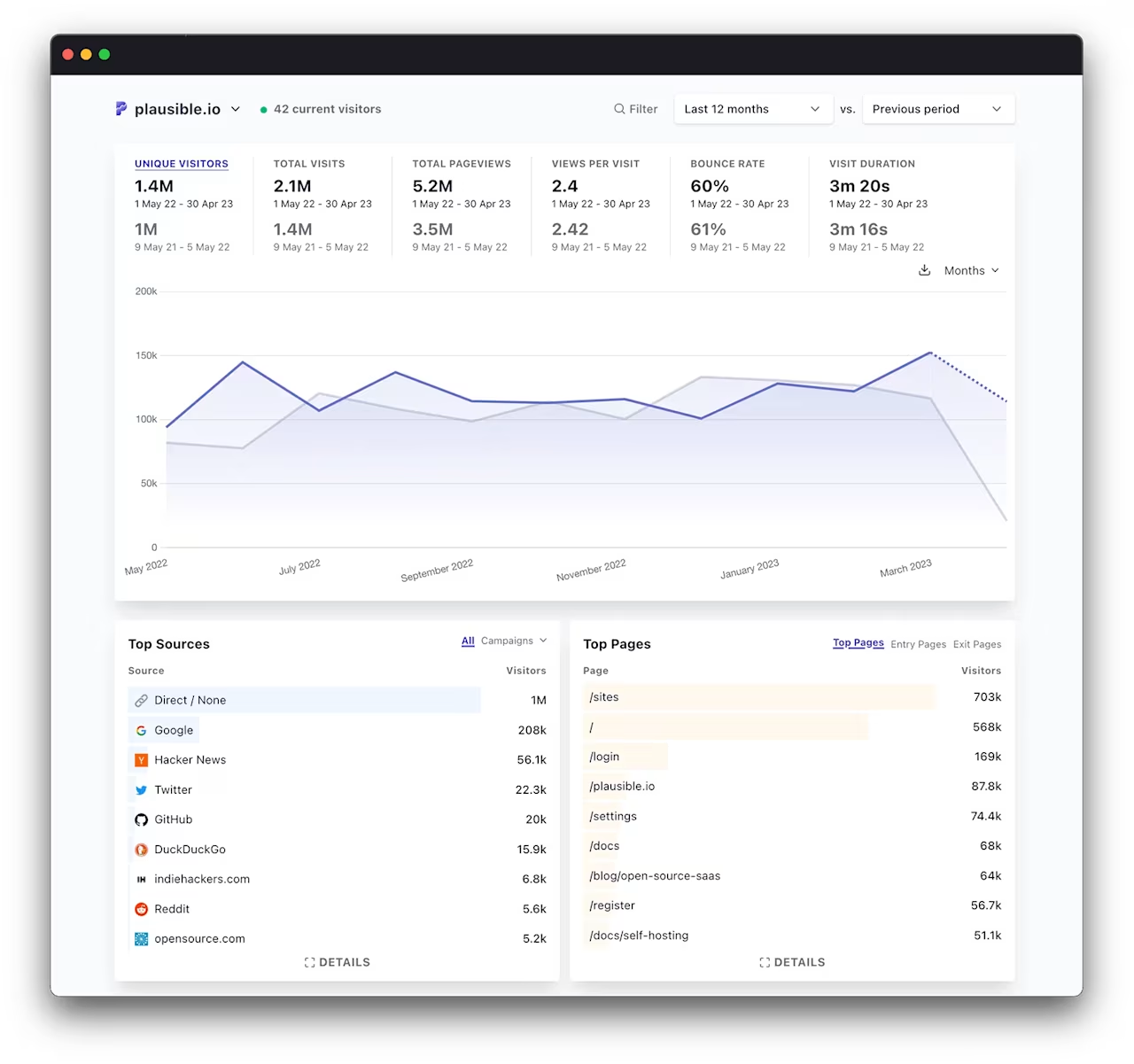
Plausible's one-page analytics dashboard
Pricing: Starts at $9/month for up to 10k monthly pageviews.
How Plausible compares to Google Analytics: Plausible is a lightweight alternative to Google Analytics. It uses cookieless tracking, is built for compliance with GDPR and other privacy and data collection regulations, and displays basic metrics like unique visitors, traffic source, and visitor location on a clear one-page dashboard.
Its script is under 1KB—about 45x smaller than GA4's tracking code—which means faster page loads. Its offering is similar to Fathom's, but with a cheaper starting price point that would suit a startup or small business.
4. Fathom Analytics
What it is: Fathom is a simple, cookieless, privacy-focused website analytics tool.
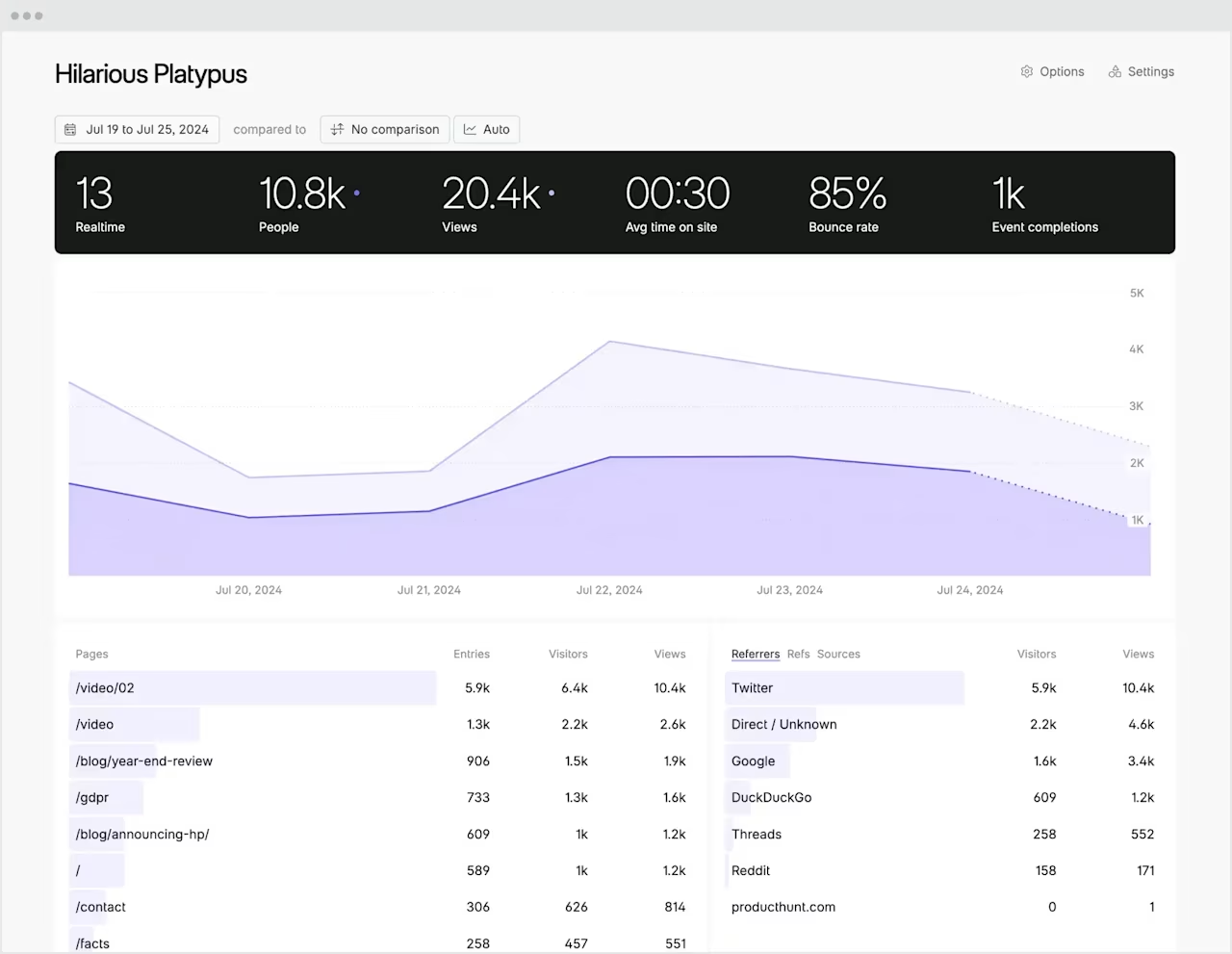
Fathom's one-page analytics dashboardPricing: Starts at $14/month for up to 100k pageviews.
How Fathom compares to Google Analytics: Unlike GA4, Fathom uses cookieless tracking, meaning it can collect data from users who clear cookies or use ad-blockers.
Fathom tracks basic analytics data, like pageviews, referral source, Urchin Tracking Module (UTM) parameters, and custom events, and displays it all in a one-page dashboard that is much simpler to use and understand than Google Analytics (especially GA4). If you need more advanced reporting options, a different tool might be more suitable.
5. Piwik Pro
What it is: Piwik Pro (not to be confused with Matomo, which used to be known as Piwik!) is an advanced analytics suite and customer data platform (CDP).
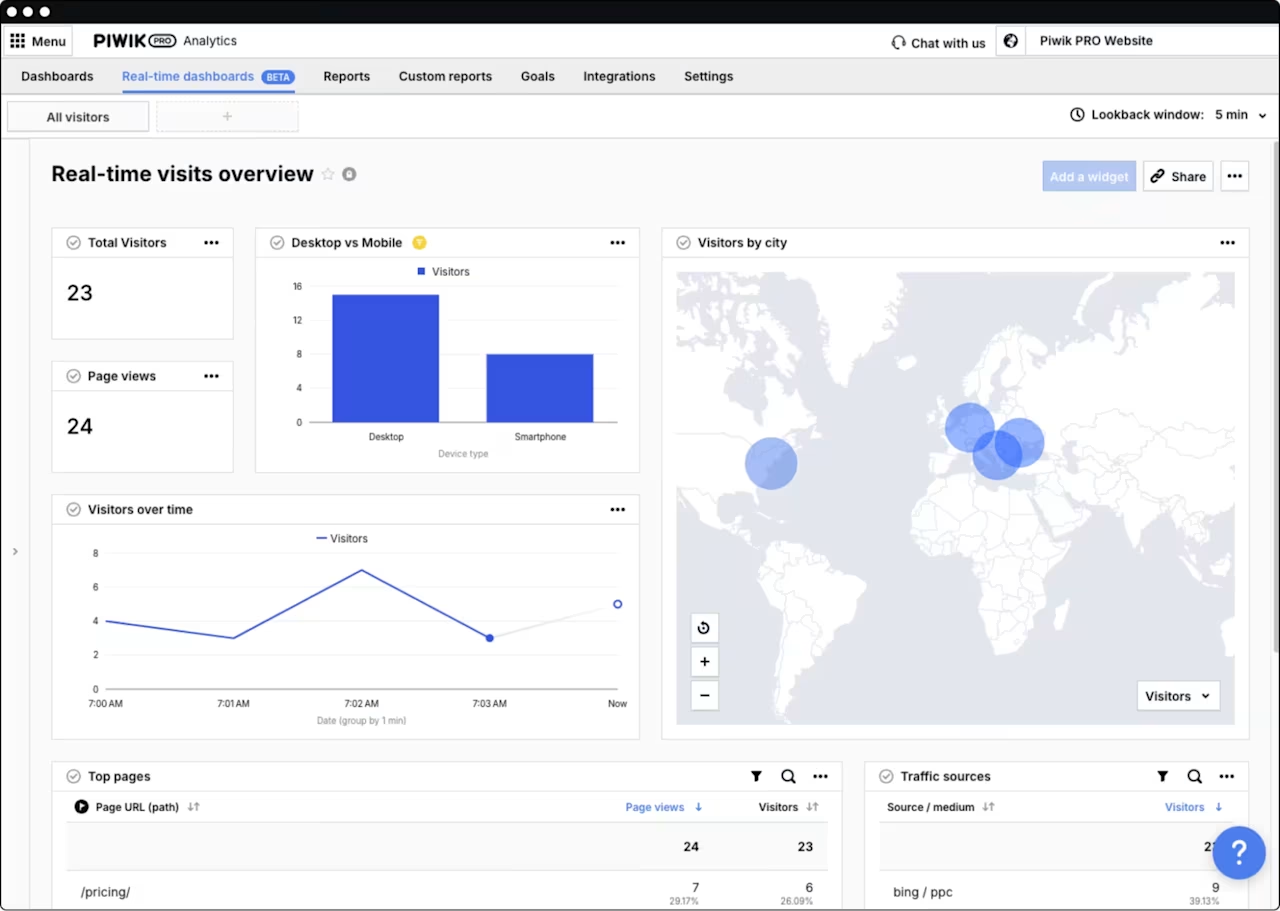
The traffic dashboard in Piwik Pro
Pricing: Free Core plan available with limited features. Enterprise pricing on request.
How Piwik Pro compares to Google Analytics: Piwik Pro offers very similar core functionality to GA4: you'll get comparable reports, like user flow, funnel analysis, and website visitor engagement. Piwik Pro also has additional features you won't find in GA4, including an SEO dashboard that replaces some of the functionality of Google Search Console.
You can build in-depth custom reports and integrate them with Google Ads and Search Console if needed. Like Google Analytics, Piwik Pro uses cookies to track users, but it does have consent management tools to make privacy and security compliance easier.
6. Adobe Analytics
What it is: Adobe Analytics is a web analytics and business intelligence platform.

A marketing campaign attribution report in Adobe Analytics
Pricing: Enterprise pricing on request, typically $100,000+ per year.
How Adobe Analytics compares to Google Analytics: Adobe Analytics is a comparable alternative to Google Analytics 360 (Google's premium analytics suite). It's an advanced, enterprise-level software.
Adobe Analytics collates data from multiple channels like web, email, and mobile apps, and offers advanced segmentation and customization options such as multi-channel attribution and offline data integration. You'll also be able to use it alongside the rest of the Adobe Experience Cloud suite, including Adobe Campaign (for email, SMS, and direct mail campaigns), Adobe Real-Time CDP (a customer data platform), and Adobe Customer Journey Analytics.
7. Mixpanel
What it is: Mixpanel is a product analytics platform designed for tracking user interactions with web and mobile applications.
![[Visual] Mixpanel retention report](http://images.ctfassets.net/gwbpo1m641r7/3LLbOBH39fyj1jCZkGuQeZ/167c6b09334d1ccb77f9c04ae36f3547/Mixpanel-reports-Retention__1_.png?w=946&q=85&fit=scale&fm=avif)
An example of a Mixpanel Retention report
Pricing: Free for up to 20 million events per month. Growth plans start at $20/month.
How Mixpanel compares to Google Analytics: While GA4 focuses on pageviews and sessions, Mixpanel is built around event-based tracking. This makes it particularly useful for software-as-a-service (SaaS) companies and product teams who want to understand how users interact with specific features.
Mixpanel excels at funnel analysis, retention tracking, and cohort analysis. It's less suited for traditional website analytics like traffic sources and SEO performance.
8. Woopra
What it is: Woopra is an advanced customer journey analytics platform.
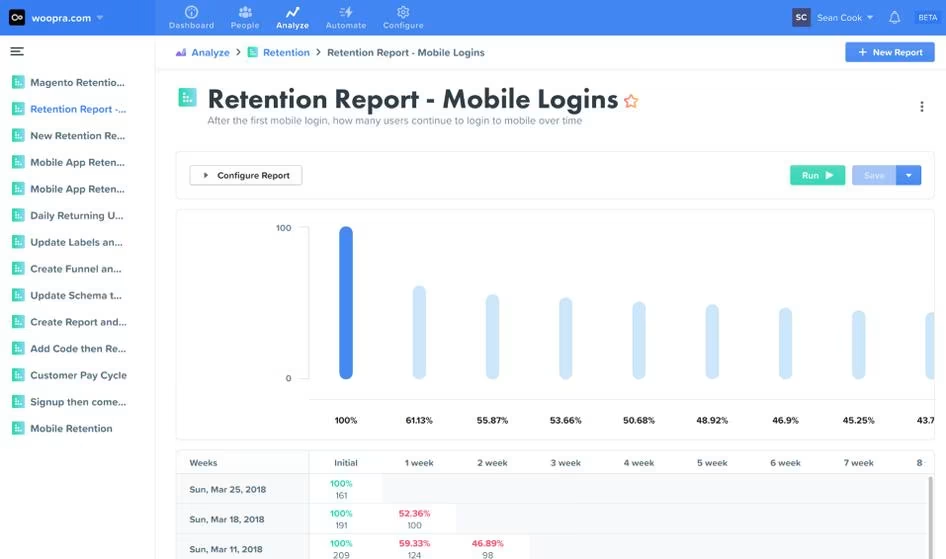
A mobile login retention report in WoopraPricing: Free for up to 500,000 actions per month. Pro plans start at $999/month.
How Woopra compares to Google Analytics: Woopra is very different from Google Analytics—it's more of a customer journey mapping tool for ecommerce and SaaS companies. Woopra tracks individual customer behavior and links it with other user data and personally identifiable information (PII), like purchase history and product usage.
Woopra could work as an alternative to GA4 if you don't need additional privacy features and want to combine customer and website analytics in one place.
9. Clicky
What it is: Clicky is a privacy-friendly, real-time analytics tool for websites.
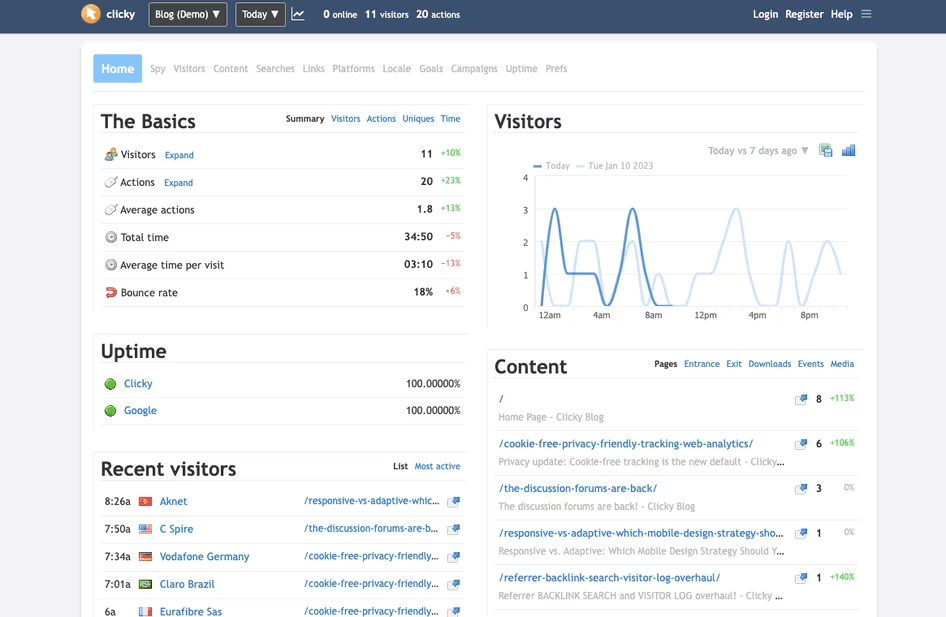
The main Clicky dashboard
Pricing: Free for up to 3,000 daily pageviews. Pro plans start at $9.99/month.
How Clicky compares to Google Analytics: Clicky is a stripped-down analytics tool with a limited range of reports focusing on real-time data and broad metrics like number of visitors, page views, and referral source. Clicky doesn't use cookies and all extra tools, like video analytics and Twitter analytics, are included in the price.
10. Statcounter
What it is: Statcounter is an analytics tool created for businesses who want a simple out-of-the-box solution.

Statcounter's dashboard
Pricing: Free for up to 500 pageviews per month. Paid plans start at $9/month.
How Statcounter compares to Google Analytics: Statcounter was created for teams who want insight on their audience but don't have the technical expertise to set up complex tools. With Statcounter, you'll get access to web analytics, heatmaps, a live visitor feed, and more. You can also integrate Statcounter with Google Ads to review ad clicks to help you spot fraudulent clicks from competitors or bots.
11. Simple Analytics
What it is: Simple Analytics is a GDPR-compliant, cookieless web analytics tool based in the EU.
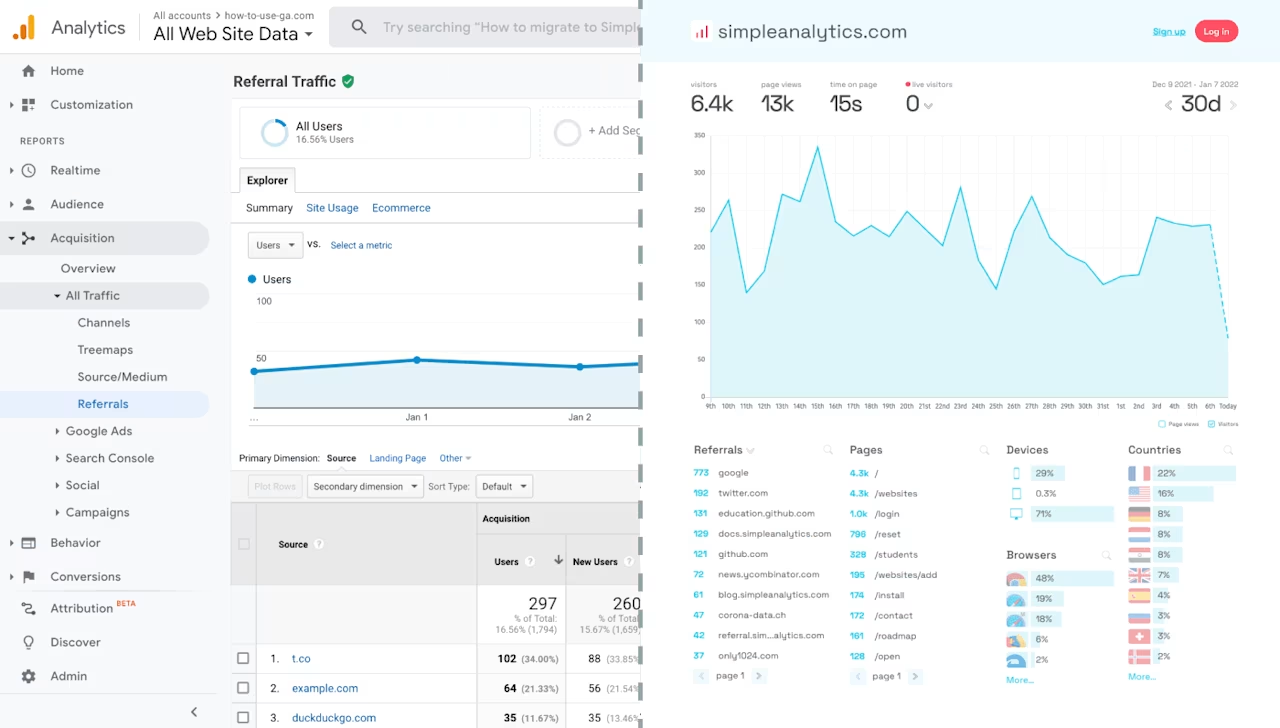
Simple Analytics' clean dashboard
Pricing: Starts at $9/month for up to 100k pageviews.
How Simple Analytics compares to Google Analytics: Simple Analytics takes a minimalist approach to web analytics. It tracks essential metrics like pageviews, referrers, and device types without using cookies or collecting personal data.
Being EU-based and fully GDPR-compliant makes it particularly attractive for European businesses or those with strict privacy requirements. The tradeoff is limited functionality compared to full-featured alternatives.
12. Amplitude
What it is: Amplitude is a product analytics platform focused on understanding user behavior and driving product growth.
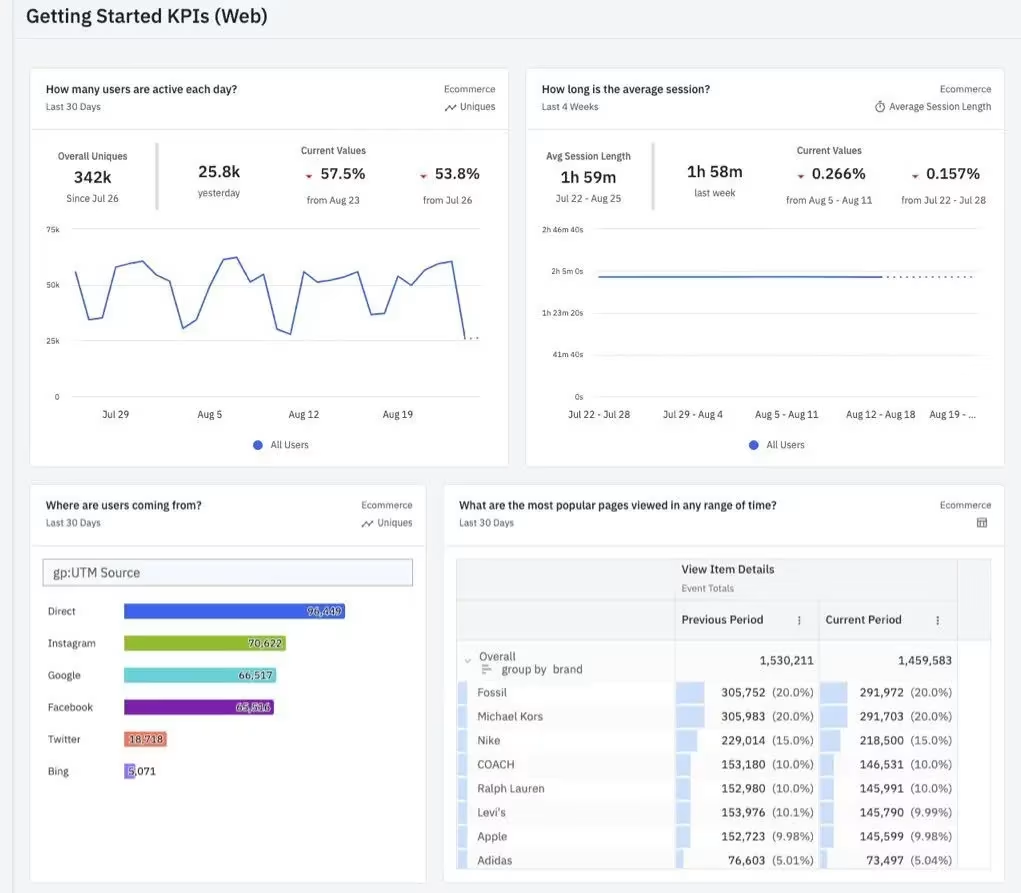
Amplitude's behavioral analytics dashboard
Pricing: Free for up to 10 million events per month. Paid plans start at $49/month.
How Amplitude compares to Google Analytics: Like Mixpanel, Amplitude is built for product teams rather than marketers. It excels at behavioral cohort analysis, helping you understand which user actions lead to retention and conversion.
Amplitude's strength is in answering questions like "What do users who convert have in common?" rather than traditional web analytics questions about traffic sources.
Combine analytics with behavior insights to get the complete picture
Numbers and graphs aren't enough to truly understand what's happening on your website from your users' perspective.
That's why we recommend pairing your chosen GA4 alternative with Contentsquare's tools—Sense, Heatmaps, Session Replay, Journey Analysis, Surveys—to eliminate the guesswork in user experience and conversion rate optimization, driving business growth while keeping your users satisfied.

![[visual] [seo][guide][Web analytics] Tools](http://images.ctfassets.net/gwbpo1m641r7/EPZ5ussJOI79iSkmwuxG9/356169997bc72eb7b00661b28e5f27d3/AdobeStock_429015106.jpg?w=624&q=85&fit=scale&fm=avif)
![[Visual][guide] sentiment analysis home page](http://images.ctfassets.net/gwbpo1m641r7/5Ambj2K5EYDaS0tiOWyuZz/e923f90fb57af8a30a7d8f5e626ff9ea/sentiment-analysis-team-work.jpeg?w=624&q=85&fit=scale&fm=avif)