![[Visual] Content feedback - stock image](http://images.ctfassets.net/gwbpo1m641r7/3VIxae9gYdfHTaMYr25eph/96af0a02a3248b25f83d10b360591acc/Magic_Oil_-_Photo_4.jpg?w=1280&q=85&fit=scale&fm=avif)
Your team collects more data than ever, yet most of it sits in dashboards no one acts on. You open a report, watch the numbers move, and still can't say why it happened or what to change. That gap between having data and making a decision is where time, budget, and momentum quietly leak away.
Business intelligence analytics, powered by modern data analytics, closes that gap. It turns raw data and numbers into data-driven decisions, so you spend less time hunting for answers and more time acting on them.
This guide is for marketing, product, and analytics teams who feel that gap every week. You'll learn the 4 types of analytics and a repeatable workflow you can put to work right away.
Key insights
Analytics answers different questions: business intelligence tells you what happened and why, so you act on facts instead of guesses.
A single number rarely tells the whole story: the segment you look at and the context around it change what the data actually means for your decisions.
Speed matters as much as accuracy: the faster your team moves from question to answer, the more value your data creates.
A repeatable workflow beats one-off reports: collecting, analyzing, and acting on data the same way each time is what separates mediocre results from exceptional ones.
What business intelligence analytics does for your team
Business intelligence analytics, much like broader business analytics, is the practice of turning raw business data into actionable insights that guide decisions. It gathers data from across your business, makes sense of it, and shows you what to do next.
You already know data matters. What your team needs is a way to move from a screen full of numbers to a confident choice about what to change. That's the job business intelligence analytics does every day. If you want the full background on the field, our guide homepage covers the basics in depth.
The 4 types of analytics that guide decisions
Most business intelligence work moves through 4 connected types of data analysis techniques. They build on each other, starting by looking back at what happened and ending with a clear recommendation for what to do. Knowing the sequence helps you see which question you are actually answering:
Descriptive: what happened?
Diagnostic: why did it happen?
Predictive: what is likely to happen next?
Prescriptive: what should we do about it?
1. Descriptive analytics
Descriptive analytics tells you what happened. It summarizes past and current performance, like last month's revenue or this week's sign-ups, usually through spreadsheets, dashboards and reports.
This is where most reporting lives, and it gives everyone a shared picture of the facts. Because it only describes, it rarely explains. So it works best as a starting point, not a finish line.
2. Diagnostic analytics
Diagnostic analytics answers the next question: why did it happen? It digs into the data behind a trend to find the cause, so you can fix the right thing instead of guessing.
Numbers alone often miss the reason behind a drop, and watching how people actually behave fills that gap. Journey analysis shows you how users move through your site page by page, so you can spot exactly where they stall or leave. When you want to understand a specific drop-off, session replays lets you watch real recordings of those moments and see where users hesitate, rage-tap, or abandon a page.
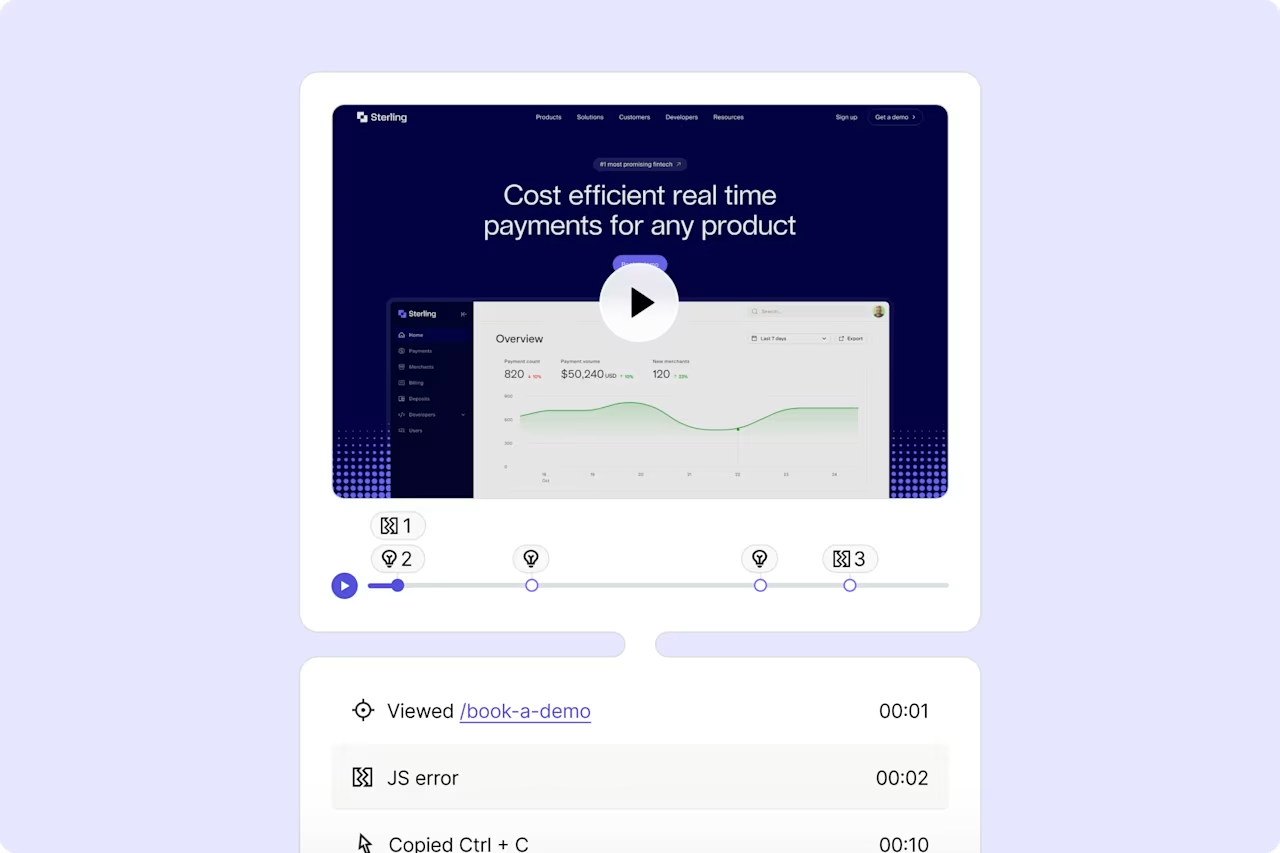
Contentsquare's Session Replay in action.
3. Predictive analytics
Predictive analytics uses historical data, statistics, data science techniques, and machine learning to forecast market trends and what is likely to happen next. It helps you plan for demand, anticipate customer behavior, and spot trends before your competitors do.
For example, a user who returns often is a strong signal of future value. Knowing that early lets you invest in the right relationships.
4. Prescriptive analytics
Prescriptive analytics goes one step further and recommends what to do. It weighs your goals and constraints to suggest the best action, not just the likely outcome.
That's where analytics connects most directly to strategy, because it turns a forecast into a plan.
Building a business intelligence analytics workflow
A repeatable workflow is what makes business intelligence analytics reliable. Instead of one-off reports, you follow the same 3 steps every time, so insights arrive faster and everyone trusts them. Here's a simple version you can adapt.
1. Collect and prepare your data
First, perform data integration and structured data collection to gather data from your data sources and clean it so it's ready to use. Many teams pull everything into a data warehouse, utilizing online analytical processing to combine information from different systems into one central place.
Good preparation also includes data modeling and data mining, which means searching large sets of big data for patterns and relationships worth a closer look. Clean, connected data supported by effective data preparation, strong data management systems, and high data quality is the foundation. If the input is messy, every insight after it will be too.
2. Analyze and visualize what you find
Next, analyze the prepared data and turn it into something people can read at a glance. Data visualization does this by converting numbers into charts and graphs, which makes trends and outliers easy to spot.
Dashboards give you a home for this work, letting you track your key metrics and key performance indicators (KPIs) on customizable panels in one place. Analysis shouldn't require data scientists, business intelligence analysts, a dedicated data analyst, or BI analysts for every question. With Contentsquare's artificial intelligence solution, Sense, you can ask questions in plain language and get fast answers and summaries, so more of your team can explore data on their own.
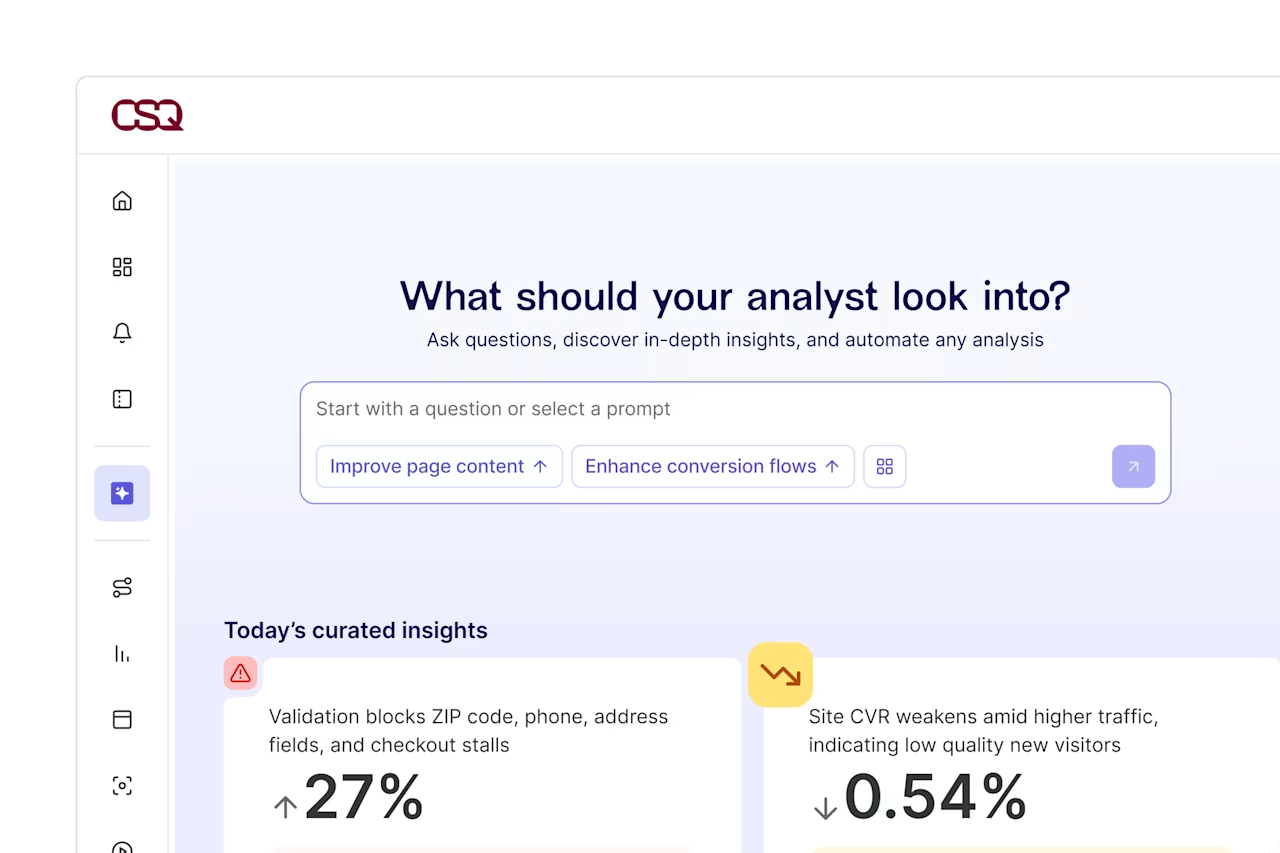
Contentsquare's Sense Analyst answers complex questions and provides clear results.
3. Share insights and act on them
Finally, share what you learned and turn it into action. An insight that stays on one person's screen changes nothing.
The goal is a decision, whether that means fixing a checkout step, shifting budget, or launching a test.
3 common mistakes that stall business intelligence analytics
Good data still leads to poor decisions when teams fall into a few common traps. Knowing them ahead of time helps you avoid the slow, frustrating cycles that make people stop trusting their reports.
1. Reading one metric without context
A single number can point you in the wrong direction. In Contentsquare's latest Digital Experience Benchmarks report, conversion rate fell 5.1% year over year, yet revenue per visit still rose 1% because average order value increased 6%. Looking at conversion alone would have hidden that resilience.
Segments matter too. Returning visitors converted at 2.9%, compared with 1.7% for new visitors, showing how an overall conversion rate can blend two very different performance stories.
2. Drowning in dashboards
When every team builds its own report, you end up with hundreds of dashboards and no shared answer. Finance sees revenue one way, sales sees it another, and nobody agrees on the number.
The fix is to focus on impact. Contentsquare's Impact Quantification capability connects a specific experience change to its effect on business outcomes, so you spend effort on the fixes that actually move results.
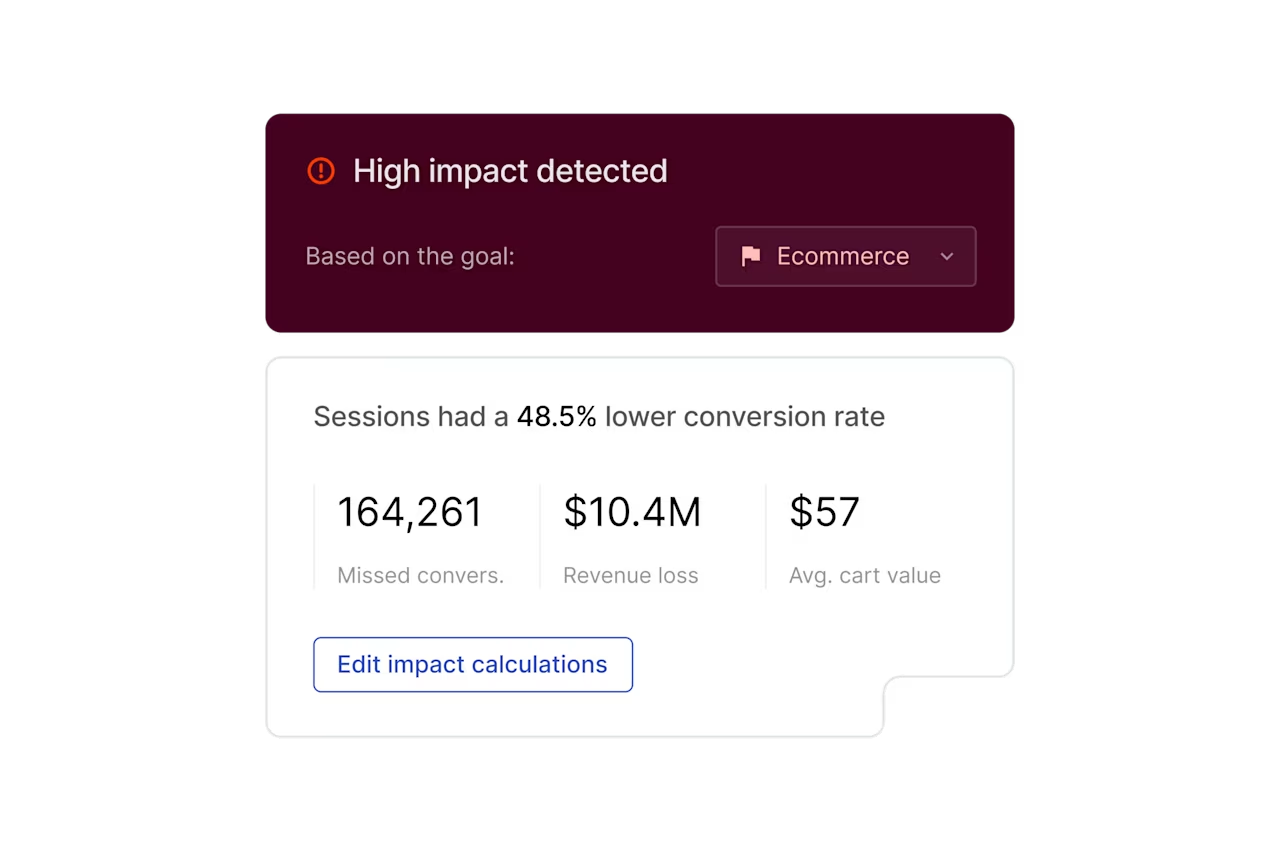
See the impact of changes on business outcomes with Contentsquare's Impact Quantification capability.
3. Waiting too long for answers
If a question takes 2 weeks to answer, the moment to act has often passed. Slow reporting cycles and relying heavily on a data engineer for simple requests are big reasons business intelligence analytics fails to pay off.
Modern business intelligence tools, specialized BI tools like Tableau, OLAP systems, and self-service platforms help by letting people get answers in minutes instead of queuing for a specialist.
Putting business intelligence analytics into practice
The teams that win with data treat analytics as a habit, not a one-time project. They ask questions often, act on the answers quickly, and keep the customer at the center of every decision. That steady rhythm is what turns data into a real competitive advantage.
You don't need to see everything at once to start. Contentsquare gives you a user-centric view of how people behave across sessions and devices over time, so you understand the full journey rather than a single visit.
Paired with Sense, which surfaces answers without heavy manual work, your team can spend less time pulling reports and more time acting on what they find.
Frequently asked questions
Business intelligence focuses on what happened and why, using reporting and dashboards to describe past and present performance. Business analytics is broader and more forward-looking, adding predictive and prescriptive methods to forecast what will happen and what you should do.
![[Headshot] Amy Mitchell-Whittington](http://images.ctfassets.net/gwbpo1m641r7/3M13wpbaQxP5xFsDyJtNM4/3d4f9ea1c77e9fb72e11dd3ed6c1506e/amy_headshot.jpg?w=1280&q=85&fit=scale&fm=avif)
![[visual] man and a woman in front of the laptop](http://images.ctfassets.net/gwbpo1m641r7/4MGw9yViQS4fJSNlpsrUFB/b3cc18c9886ebfad5f35ef56c0b9ef64/Magic_Stick_-_Photo_4.jpeg?w=624&q=85&fit=scale&fm=avif)
![[Visual] AI analytics home - stock](http://images.ctfassets.net/gwbpo1m641r7/64i3HakmQ9aHWYWEEqpFUM/f1d5d2a41b5c7d7a523a34b58bd50ece/AdobeStock_634961399.png?w=624&q=85&fit=scale&fm=avif)