![[Visual] [Guide] Customer retention - Saas Stock image](http://images.ctfassets.net/gwbpo1m641r7/2Lmp9XhnD3Za2Q7fDglUJB/635404b1e617e2aa950703f719c0f0fa/Woman_with_Curly_Hair_Using_Tablet_on_Couch_Indoors.jpg?w=3840&q=100&fit=fill&fm=avif)
Understanding your customers is paramount to online success. Heatmap tools offer a unique lens through which to view user interactions, revealing patterns and pain points that traditional web analytics often miss. By utilizing precise segmentation, you can see how different audience groups interact with your site differently and conduct an in-depth behavior analysis.
What is a heatmap tool?
A heatmap tool is a visual analytics solution that graphically represents user actions on a webpage. Instead of abstract numbers, you see a colorful overlay on your actual website pages, indicating where users click, move their mouse, and scroll in real time. Red areas typically signify high engagement on specific page elements while blue or green areas denote less interaction.
![[Visual] [Website engagement] Heatmaps & Engagements](http://images.ctfassets.net/gwbpo1m641r7/7yxjV5CQn0qKYg1iZP1DeL/5c9d7dc4e777f7ae30952bda221fcd59/Heatmaps___Engagements.png?w=2048&q=100&fit=fill&fm=avif)
Contentsquare's zone-based heatmaps go further by connecting user behavior directly to business outcomes. Beyond showing where users click, they reveal how each page element contributes to conversions, revenue, and other key metrics—enabling you to prioritize optimizations based on actual business impact rather than engagement alone. You can also seamlessly switch from aggregate heatmap views to individual session replays to understand not just what users are doing, but why they're behaving that way.
How heatmaps benefit your business
Heatmaps translate complex user data into actionable insights. How can this visual representation directly impact your business and website performance?
Improve user experience (UX): By identifying confusing elements or ignored content, you can optimize your site's UX and navigation for a smoother digital experience
Boost conversion rates: Pinpoint exactly where users drop off in a form or checkout process, allowing you to make targeted improvements that drive CRO
Optimize content placement: Discover which headlines, images, or CTAs receive the most attention, informing your content strategy
Validate design decisions: Test new design iterations and gather empirical evidence on their effectiveness, moving beyond assumptions
Enhance A/B testing: Heatmaps provide the 'why' behind A/B test results, helping you understand why one variation performed better than another by highlighting usability issues
4 key features to look for in a top heatmap tool
When evaluating heatmap types, certain features stand out as crucial for comprehensive analysis. What capabilities should you prioritize to gain the most valuable insights?
1. Visualizing user engagement
Beyond basic click maps, robust tools offer various visualization types:
Click maps: Show where users click on a page
Scroll maps: Indicate how far down a page users scroll, revealing content visibility. Contentsquare displays key milestones (75%, 50%, and 25%) and the average fold, helping you understand which content users actually see
Move maps: Track mouse movements (sampled every 400ms), which often correlate with eye-tracking and attention patterns
Rage click maps: Visualize areas where users repeatedly clicked the same element three or more times within 2 seconds, indicating frustration or confusion with non-responsive or unclear interface elements
Engagement Zones heatmaps: Combine click, move and scroll interaction data into one unified view to show which parts of your page users engage with most. Color-coded from pink (moderate engagement) to red (highest engagement), with scroll data used to weight interactions that occur further down the page
![[Visual] Contentsquare’s Heatmaps helped The North Face easily see how far customers made it through their Gift Guide](http://images.ctfassets.net/gwbpo1m641r7/7lfUYkYeBCADc9NfQbVZHe/dae81dc23850d59cb33b1f334dcbb622/desktop-mockup-northface-1024x660-1.avif?w=3840&q=100&fit=fill&fm=avif)
2. Session replay integration
Session replays (also known as session recordings) allow you to watch anonymized recordings of actual user sessions. This feature is invaluable for understanding the context of heatmap reports. You can see how users navigate in real time, encounter issues, or get stuck, providing a holistic view of user journeys.
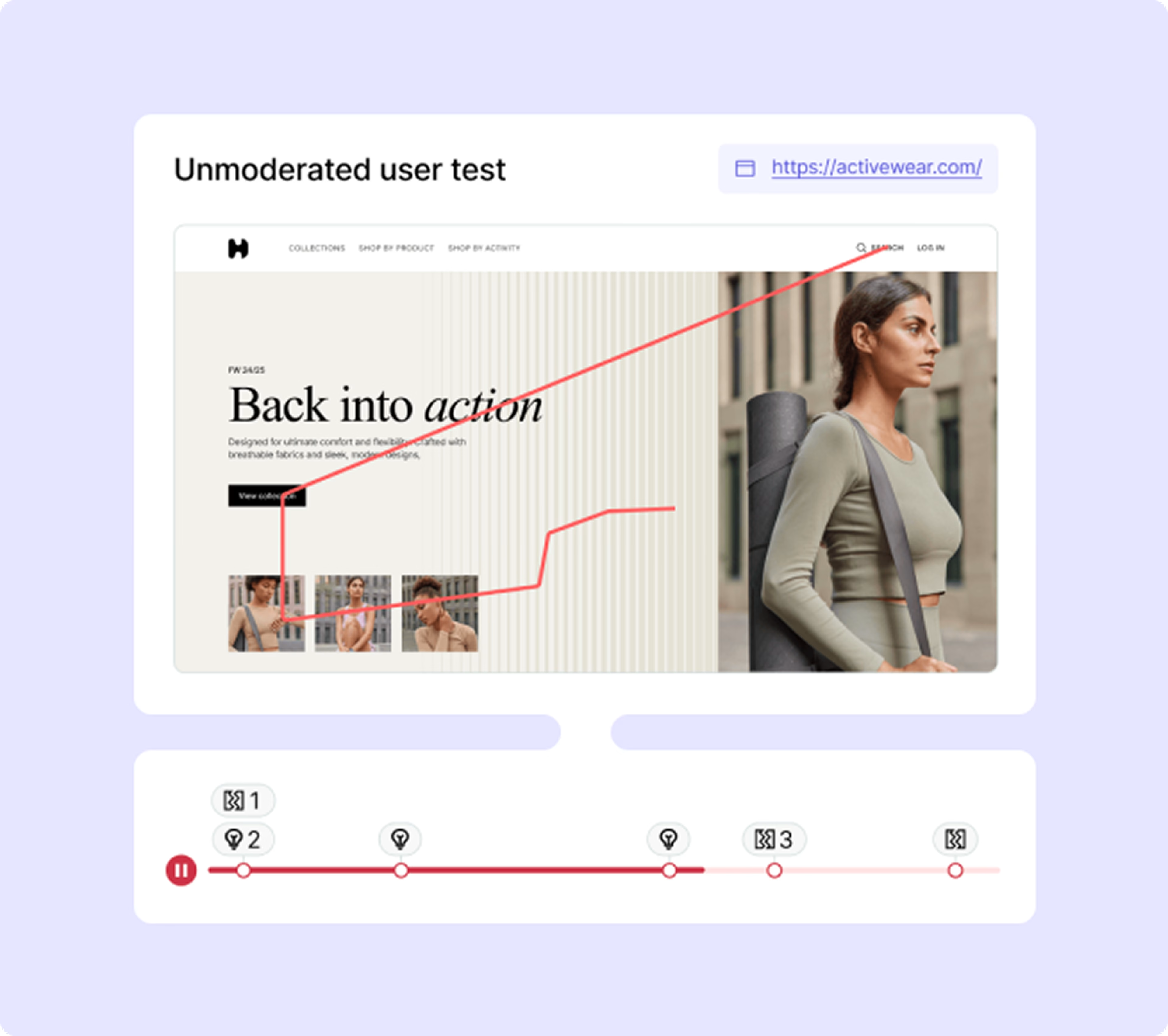
3. Conversion funnel analysis
Does the tool help you track and understand user behavior at each step of your conversion funnel? Top tools integrate heatmaps and session replays with funnel visualizations and key performance metrics to identify where users drop off and why throughout the customer journey.
4. Form analytics
Forms are critical conversion points. Form analytics within a heatmap tool highlight which fields are skipped, abandoned, or cause errors, enabling you to optimize your onboarding for better completion rates.
![[Visual] Heatmap form analysis](http://images.ctfassets.net/gwbpo1m641r7/6gtNUWaHlsNDLydFaYZ6XZ/1fab0b0060a2cf9d7f1400724f0bb226/Heatmap-form-analysis.png?w=3840&q=100&fit=fill&fm=avif)
5. A/B testing integration
A seamless integration with A/B testing platforms allows you to apply heatmap analysis to different test variations, providing deeper insights into user responses to design or content changes through detailed segmentation.
The top 7 heatmap tools: A comprehensive comparison
Here's an overview of some of the leading heatmap tools available today, each with its unique strengths.
1. Contentsquare
Contentsquare (that's us 👋🏼) is renowned for its comprehensive suite of analytics tools, offering heatmaps, session replays, user feedback, and surveys all in one analytics platform. Its AI-powered insights and centralized dashboard make it a popular choice for large enterprises and high-growth companies.
2. Crazy Egg
A pioneer in the heatmap space, Crazy Egg offers a robust set of visualization options including click maps, scroll maps, and confetti maps. It also provides recordings and A/B testing capabilities, making it a strong all-in-one contender for CRO.
3. FullStory
FullStory excels in its advanced session replay capabilities, providing detailed insights into every user interaction in real time. While it offers a form of "rage clicks" and "dead clicks" that function similarly to heatmaps, its strength lies in its meticulous session recording and error detection to map out user journeys.
4. Mouseflow
Mouseflow provides comprehensive heatmaps (click, scroll, attention, geographic) alongside session replays. It also features funnel analysis and form analytics, making it a powerful tool for optimizing website performance through deep segmentation.
5. Clarity (Microsoft Clarity)
Microsoft Clarity is a powerful and free heatmap and session recording tool. It offers unlimited heatmaps, session replays, and advanced filtering metrics, making it an excellent option for those on a budget or just starting with user behavior analytics.
6. VWO (VWO Insights)
VWO is primarily known for its A/B testing platform, but its "Insights" module offers heatmaps and session recordings. This integration is particularly beneficial for users who want to run experiments and analyze their impact within a single ecosystem.
7. Lucky Orange
Lucky Orange provides an affordable and feature-rich solution with dynamic heatmaps, session recordings, live chat, and conversion funnels. Its real time dashboard is often praised for its ease of use and competitive pricing for small businesses.
How to choose the best heatmap tool
With so many excellent options, how do you pinpoint the best tool for your specific requirements?
Identify your goals
What exactly do you hope to achieve with a heatmap tool? Consider these use cases:
Are you primarily focused on identifying user drop-off points on specific pages?
Do you need to understand overall content engagement across your site?
Is optimizing complex forms a top priority? Clearly defining your objectives and the specific metrics will narrow down your choices considerably.
Evaluate integration capabilities
Will the heatmap tool integrate seamlessly with your existing tech stack, such as:
Google Analytics
Your CRM
Your A/B testing platform? Smooth integrations ensure a cohesive data analysis workflow across your entire analytics platform.
Contentsquare integrates with GA4 and leading A/B testing platforms to enhance your existing tech stack. Import GA4 audiences for deeper behavioral analysis, and connect with experimentation tools like Optimizely, AB Tasty and Adobe Target to segment by test variation and use behavioral insights to inform hypotheses and understand test results. As an open API platform, Contentsquare can integrate with additional data sources and tools in your analytics ecosystem.
Assess user-friendliness
Consider the learning curve. Does the tool offer:
An intuitive dashboard?
Clear documentation and tutorials?
Responsive customer support? A user-friendly tool ensures your team can quickly leverage its full potential to improve the overall digital experience.
💡 Pro tip: Many top heatmap tools offer free trials or freemium plans. Take advantage of these to test out features and segmentation capabilities before committing to a subscription.
⚡️ Real-world success: How heatmaps transformed Dreams
During Black Friday 2019, Dreams, the U.K.'s leading mattress and bed retailer, used Contentsquare's Heatmaps to monitor their landing page performance and uncover immediate revenue opportunities.
The heatmap analysis revealed that their most-clicked 'shop by category' feature was buried at the bottom of the page, while less engaging elements occupied prime visibility at the top. By simply moving this high-performing section to a more prominent position, Dreams achieved remarkable results: a 150% increase in click rate on mobile devices and an additional 18% boost in revenue over just 5 days demonstrating how data-driven, visual insights can drive significant business impact during critical sales periods.
What Contentsquare gives us is the flexibility to understand what our customers are doing now, and how we can make changes now that will help their customer journey.
Ready to unlock deeper user insights?
The power to truly understand your website visitors is within reach. By leveraging the right heatmap tool, you can move from assumptions to data-driven decisions, ultimately leading to a more effective and profitable digital experience.
FAQ on heatmap tools
Contentsquare
Crazy Egg
FullStory
Mouseflow
Microsoft Clarity
VWO (VWO Insights)
Lucky Orange
![[Visual] Contentsquare's Content Team](http://images.ctfassets.net/gwbpo1m641r7/3IVEUbRzFIoC9mf5EJ2qHY/f25ccd2131dfd63f5c63b5b92cc4ba20/Copy_of_Copy_of_BLOG-icp-8117438.jpeg?w=1920&q=100&fit=fill&fm=avif)