
Ecommerce business owners have a lot of decisions to make.
And deciding on the right ecommerce platform to host your store is a big one.
If you’re choosing between Shopify and WooCommerce and need a thorough comparison, you’re in the right place.
Jump in to learn exactly what to expect from Shopify and WooCommerce, so you can make the best decision for your online store’s needs. We cover:
Essentials: set-up, design options, support, and security
Value for money: pricing plans, the total cost of ownership, and free trial options
Growth: marketing and SEO, sales features, and scalability
Your customers’ needs: payment options, shipping, integrations, and page speed
Shopify vs WooCommerce: 13 differences to consider
When considering ecommerce platform options like Shopify and WooCommerce, you already have questions about cost, usability, and possible limitations. But to make the best possible decision, you need to dive deeper and consider things like:
How long will it take me to start selling on the platform?
Will there be painful limitations when my store grows?
How easy will it be to manage my store in the back-end?
What level of support can I expect from the platform provider?
Let's take a look at 13 criteria to help you pick the best platform for your business and customers:
Essentials
The differences between Shopify and WooCommerce in terms of building, running, and maintaining an online store are significant. Here’s what you need to know:
1. Setup and maintenance
Shopify is a hosted ecommerce platform. You can build your online store (no coding skills necessary) without leaving Shopify’s interface—everything you need to get it up and running is already there. This includes:
Naming your store
Buying your domain (if you don’t already have one) and setting it up
Selecting and customizing a design theme
Adding products and setting up payment options
Follow Shopify’s initial setup knowledge base to get your store up and running in as little as a couple of hours.
WooCommerce is an open-source ecommerce solution that lets you turn an existing WordPress website into an online store. But if you don’t already use WordPress, starting from scratch with WooCommerce means you need to:
Buy a hosting plan
Create a WordPress website
Buy a domain name for it
Find a design theme
Install the WooCommerce plugin and set up your online store
This can be a lengthy and complex process, especially for users who don’t have experience with WordPress. To make this easier for its customers, WooCommerce has a Getting Started guide.
For WordPress pros, launching and maintaining a store on WooCommerce is the obvious choice.
2. Design themes, options, and customization
What’s the level of control, customization, and flexibility Shopify and WooCommerce give you when it comes to design?
Shopify has a library of over 900 themes, with 20+ available for free. Prices for paid options start at $100. You can browse themes for different industries, product catalog sizes, and features like store locator, infinite scroll, and event calendar.
Shopify’s themes are mobile-friendly and automatically update. However, for complete customization, you might need help from a developer who understands Liquid code.
![[Visual] shopify theme store](http://images.ctfassets.net/gwbpo1m641r7/27xj56w4zZrRg7wplmmIL/1522c4b9cc1726ff2fb4cd980f2ee243/shopify_theme_store.png?w=3840&q=100&fit=fill&fm=avif)
Shopify’s library of themes (Source: Shopify)
WooCommerce works with any ecommerce WordPress theme. This means you can rely on markets like ThemeForest (1,500+ WooCommerce themes) and Template Monster (1400+ WooCommerce themes) to find the perfect theme for your store. WooCommerce also comes with a free, fully customizable Storefront theme, designed to provide a seamless starting point for your online store.
Unlike Shopify, the WordPress platform gives you plenty of control and flexibility over the look of your store—especially if you have the skills, time, and budget to do so.
![[Visual] woocommerce theme store](http://images.ctfassets.net/gwbpo1m641r7/2LAmEU5xEsAMq0okHXeqiT/19ce4b95a3205453073f3f91149fc6a4/woocommerce_theme_store.png?w=1920&q=100&fit=fill&fm=avif)
The WooCommerce theme store (Source: WooCommerce)
3. Customer support
How easily can you get help from Shopify and WooCommerce?
Shopify offers 24/7 chat support on all Shopify plans. If your online store has an issue that could lose you sales and customers, this is a huge bonus, as it means you get immediate assistance.
You can also tap into Shopify’s network of experts, help center articles, community forum, and their database of online courses to make the most of Shopify’s capabilities.
But if you integrate your Shopify store with other apps and services, you’ll need to rely on support options from the companies offering those products rather than Shopify itself.
WooCommerce supports products purchased through WooCommerce, which includes the WooCommerce plugin for WordPress, WooCommerce extensions, and themes.
However, WooCommerce support doesn’t cover WordPress in general, or any third-party products you purchase from a company that isn’t a WooCommerce reseller. Lean on resources like FAQs, their marketplace for hiring WooCommerce experts, WooCommerce tutorials, and the WordPress.org documentation to deal with issues you run into.
4. Security
Will Shopify and WooCommerce give you the comfort of knowing your store is safe from online risks, your payments are protected, and that your customers can trust you?
Shopify ensures all Shopify stores are PCI compliant, meaning they meet all the criteria for payment security standards. Your website also comes with a built-in SSL certificate, which encrypts all data between you and your customers.
With WooCommerce, you’re responsible for making your store PCI compliant—your hosting and payment providers can help you make sure that’s the case. The same applies to ensuring your WordPress site has an SSL certificate; some hosting providers will include it in your subscriptions, while you may have to pay extra for it with others.
Value for money
To make the best choice when it comes to an ecommerce platform, it’s crucial to consider the costs you’ll incur over time.
Here are the main differences in value for money between Shopify and WooCommerce:
5. Pricing and total cost of ownership
Shopify’s pricing plans range from $5 per month to $2,300 per month, and on the Basic, Grow, and Advanced plans you only have to pay $1 per month for the first 3 months.
Even the Basic plan includes rich features like multiple sales channels and abandoned cart recovery, as well as essentials like hosting and an SSL certificate. Higher tiers give you more staff accounts and advanced features like automations, shipping insurance, and checkout customizations.
To calculate the cost of Shopify, don’t forget to include transaction and credit card fees. Check if your country is one of 20+ supported countries for Shopify Payments, as that removes transaction fees.
![[Visual] shopify pricing](http://images.ctfassets.net/gwbpo1m641r7/4q0CUIhJiNb2PAk1PDxmtf/12e82a985daac1ae50d21803d8018ad8/shopify_pricing.png?w=3840&q=100&fit=fill&fm=avif)
Shopify’s prices may vary according to your location (Source: Shopify)
With WooCommerce, your pricing depends on the individual elements you purchase for your online store.
This includes:
Hosting and domain costs: between $200 and $20,000 per year
Theme costs: between $0 and $100 per year
Design, development, and management costs: between $500 and $45,000 per year
Security costs: estimated $250 per year
User experience costs: between $49 and $199+ per year
There are additional store operations and marketing costs to take into account, as well. For example, think shipping, payment gateways, marketing automations, and advertising.
The key difference between the cost of Shopify and WooCommerce is that Shopify packages most of what you need to run a store into an easy-to-understand plan, while you have to make your own calculations and decisions to figure out your running costs with WooCommerce.
6. Free trial options
Want to try out an option before you fully commit to either Shopify or WooCommerce?
Shopify offers a 3-day free trial that doesn’t require a credit card and lets you take all Shopify features for a test drive. And, if you’re still not ready to pay the full price after 3 days, you can get the Basic Shopify tier for $1 per month for 3 months—which means you’ll be taking very little risk to give your online store a fair shot.
WooCommerce is an open-source platform, which inherently makes it free to use. But without hosting, you can’t run a fully functional site, so it’s difficult to really take advantage of a free trial. If this is something you’d like to have access to before making a final decision, explore hosting providers that offer a free trial or a money-back guarantee (for example, SiteGround offers a 30-day money-back guarantee).
![[Visual] woocommerce hosting options](http://images.ctfassets.net/gwbpo1m641r7/2iOFASPwp1h6Ui5dV9n1hG/7fc6f92a363c513cd385811066ddd56a/woocommerce_hosting_options.png?w=3840&q=100&fit=fill&fm=avif)
WooCommerce hosting options and pricing (Source: WooCommerce)
Growth
How well-equipped are Shopify and WooCommerce to help you reach your potential customers? What marketing features do they offer to help you drive more sales? And as you grow, how will these ecommerce platforms support or hinder your growth, both in the short-term and in the long run?
Let’s dive in:
7. Marketing and SEO
Shopify has built-in features for blogging, email marketing, social media integrations, and search engine optimization (SEO). You can build marketing campaigns for different channels from one place, without getting overwhelmed by dozens of options and tools.
But Shopify’s SEO capabilities are limited; you can’t change the URL structure, edit the sitemap, or use specific structured data. You can edit your store’s title and meta description, set alt text for images, optimize your site structure, set up URL redirects, and edit your robots.txt file.
Use Shopify’s App store to find dozens of SEO apps that can help you make the most of your search presence.
WooCommerce lets you integrate your store with social media platforms through individual extensions, but blogging is where it truly shines. As it’s built on a dedicated blogging platform—some estimates say WordPress powers around 43% of all websites—your ecommerce store can reap huge rewards from this.
SEO is arguably WooCommerce’s biggest advantage. You can tweak URLs, manage metadata for any page, optimize images, rely on SEO plugins like Yoast SEO and XML Sitemaps—and manage every detail to your liking.
💡 Pro tip: Contentsquare shows you how your ecommerce site visitors feel about different pages, like product pages, the checkout page, and blog posts.
Instead of only relying on quantitative metrics—how long visitors spent on a page or how many bounced—dive into the context behind customer behavior that standard web analytics won’t show you.
For example, Heatmaps show you what gets ignored, like specific calls to action (CTAs) or website navigation links. Session Replay shows you exactly what a user sees and does before exiting.
And Surveys lets you ask page-specific questions, like “What’s stopping you from finishing the checkout process today?” so you can prioritize the right improvements.
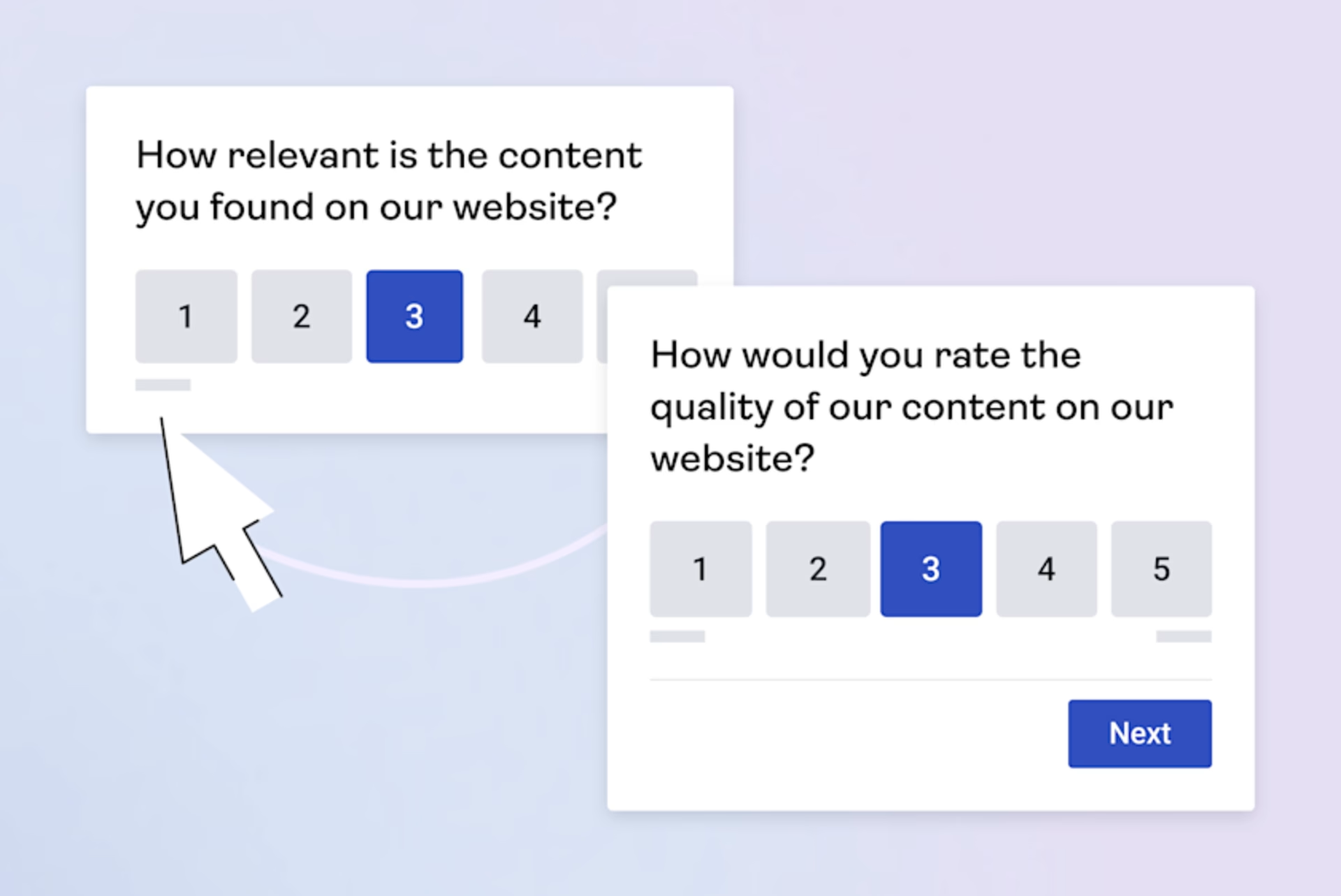
An example of a Contentsquare content feedback survey
8. Sales features
Shopify offers powerful sales features, including:
Cart abandonment recovery: view all abandoned checkouts, so you can automatically or manually email a customer with a link to their cart
Discount codes: apply them automatically, send them as a promotional campaign, and synchronize discounts from your main store to other channels like your Instagram shop
Buy Button: embed a shortcut, like a product card or a checkout button, on a landing page or blog post
![[Visual] shopify sales features embeddable products](http://images.ctfassets.net/gwbpo1m641r7/4T9i8Z2tIrfBdzr6phD58J/ade73df057952a3293a4978121098062/shopify_sales_features_embeddable_products.png?w=3840&q=100&fit=fill&fm=avif)
Options with Shopify’s Buy Button (Source: Shopify)
WooCommerce lets you assemble your own stack of sales tools for your online store. For example, if you want to use abandoned cart recovery, you’ll need a plugin for that—an option like Abandoned Cart Lite is free, and recommended advanced options start at $79 per year.
The same applies if you want to add gift cards to your store, which is another plugin you’ll pay for annually. With WooCommerce, available sales features are broader compared to what you get with Shopify, but they don’t come as part of the default package.
![[Visual] woocommerce sales features upsells](http://images.ctfassets.net/gwbpo1m641r7/4eVO7v2g9n7U4IFS53HmbE/992dd88227cf7bacd6652394542a66ea/woocommerce_sales_features_upsells.png?w=3840&q=100&fit=fill&fm=avif)
WooCommerce extensions for upselling and cross-selling (Source: WooCommerce)
🧠 Keep in mind: Contentsquare helps ecommerce teams move beyond basic analytics by revealing how shoppers interact with every pixel on your site—from browsing to checkout. Use AI-powered insights to uncover friction points, optimize user journeys, and boost conversion rates. If you run a Shopify or WooCommerce store, integrating Contentsquare turns your data into a powerful, actionable roadmap for growth—no guesswork, just smarter decisions.
9. Scalability
Shopify merchants rely on the platform’s infrastructure, storage, and security, which are ready to scale at any moment:
Higher tiers or Shopify Plus (the enterprise plan) give you access to advanced and more customizable features
A 99.99% uptime means your store won’t crash during busy seasons, like holidays and sales events
Expand internationally with global commerce functionalities
Expand into a brick-and-mortar store with an integrated POS system and continue managing every aspect of your business from the same user interface
Scaling on WooCommerce relies on the infrastructure and scalability of individual components of your ecommerce website, like your hosting provider. Keep in mind that:
Your hosting expenses increase as your traffic grows
You need to ensure the host can handle regular maintenance, updates, backups, and security
The more you grow, the higher the chance you’ll need a team of developers to maintain your website
Hardware options for physical retail are only available to merchants in specific locations
Your customers’ needs
Customers have expectations, wishes, and must-haves when it comes to their online shopping experience. The ability to choose their preferred payment method and shipping option is one of them, as is a smooth, fast customer experience.
Here’s what Shopify and WooCommerce offer:
10. Payment options
Shopify offers Shopify Payments, a built-in way to accept online payments at no extra cost, without using a third-party service or having a separate merchant account. Shopify Payments is available to businesses registered in these countries.
There are also options like:
Integration with more than 100 payment gateways and providers worldwide, including Apple Pay, Google Pay, and Amazon Pay (availability depends on your country)
A PayPal Express Checkout account for all merchants
Shop Pay for paying in installments
Recurring payments through a subscription app from Shopify’s app store
WooCommerce Payments allows you to accept credit cards, debit cards, Apple Pay, Google Pay, and local payment methods. It’s available in 38 countries without additional extensions, setup costs, or monthly fees.
The WooCommerce extension store also offers over 60 payment-related plug-ins. Additional options include:
Klarna Payments lets customers defer payments or split them into installments
PayPal’s Pay Later and Venmo (availability depends on your country)
WooCommerce Subscriptions for recurring payments
A checkout that allows you to receive purchase orders
💡 Pro tip: instead of guessing which payment options and methods to integrate with your online store, talk to your customers. Lean on user interviews to dive into the shopping habits and payment preferences of customers in different markets.
Contentsquare Interviews lets you tap into a pool of 200,000+ verified participants for user interviews. You can narrow them down by location, age, gender, education, industry, and mobile device to learn how they shop. Or, recruit your own.
And the best part? Our AI Agent automatically summarizes Voice of Customer (VoC) feedback, so you can stay focused on the insights, not the note-taking.
![[Visual] recruit user interviews](http://images.ctfassets.net/gwbpo1m641r7/1jtyKwfvr0FkPQ8L5tTnuc/47b69004fa7e6d5f826f2a37226c1e6c/CSQ-recruit-user-interviews.png?w=1920&q=100&fit=fill&fm=avif)
Contentsquare Interviews filter for selecting user interview participants
11. Shipping options
Shopify offers 3 methods to get your products to customers: shipping, local delivery, and local pickup. You can even set up shipping rules, like the zones you deliver to and shipping rates for different locations and products.
For businesses in the US, UK, Canada, Australia, France, Italy, Germany, and Spain, the Shopify Shipping feature connects your Shopify account with shipping carrier providers like UPS, USPS, Canada Post, and FedEx.
WooCommerce offers options for flat-rate shipping, free shipping, and local pickup. You can also use the WooCommerce Shipping extension to create and print USPS, UPS, and DHL labels from your WooCommerce account and save on shipping rates.
For additional options like multiple shipping rates based on factors like location, weight, or the total number of items, consider extensions like Table Rate Shipping ($119 per year) or Distance Rate Shipping ($99 per year).
12. Add-ons, plugins, and integrations
The Shopify App Store boasts over 8,000 vetted apps you can integrate with your store. Here are Shopify’s app categories:
Sales channels
Selling products
Store design
Store management
Finding products
Orders and shipping
Marketing and conversion
The WooCommerce extension store offers over 1,000 extensions. Here are WooCommerce’s extension categories:
Developed by Woo
Payments
Shipping, delivery, and fulfillment
Conversion
Customer service
Merchandizing
Store content and customizations
Store management
Marketing
CodeCanyon and Envato Elements also have WooCommerce extension marketplaces.
13. Page speed
Page speed is one of the most important performance factors for any online store. A faster site keeps shoppers engaged, reduces bounce rates, and impacts conversion rates.
So, how do Shopify and WooCommerce stack up? A recent study found:
Shopify scored 77.08 on desktop and 41.51 on mobile*
WooCommerce scored 69.53 on desktop and 36.37 on mobile*
*A score of 90 is considered good
Shopify vs WooCommerce comparison table
After diving deep into the different categories of Shopify and WooCommerce as ecommerce platforms, here’s a side-by-side comparison to help you decide which one to go with:
| Shopify | WooCommerce |
|---|---|---|
Setup | Beginner-friendly (no coding knowledge required) | WordPress knowledge required |
Design | Almost 900 themes, 24 are free | Thousands of themes available, many are free |
Support | 24/7 chat support | Chat support for WooCommerce products |
Security | Included in all plans | Depends on the host and needs to be maintained separately |
Pricing and total cost of ownership | Plans from $5 to $2,300 per month, plus transaction fees | Depends on needs and elements added; from $0 to $45,000 per year |
Free trial | 3-day free trial and $1 per month for 3 months | No free trial; some providers offer a 30-day money-back guarantee |
Marketing and SEO | Powerful marketing features and limited SEO capabilities | Strong SEO capabilities and blogging tools |
Sales features | Rich sales features are part of all plans | Available as paid add-ons |
Payment options | 100+ payment gateways; fees apply | 60+ payment integrations; fees apply |
Integrations | 8,000+ apps | 1,000+ extensions |
Shopify vs WooCommerce: which one suits your business best?
If you’re ready to build your ecommerce store, WooCommerce and Shopify are fantastic platforms to get started. But they serve different types of ecommerce owners.
Shopify is for you if you’re looking for a solution that’s ready right out of the box. Everything you need is right there, from a secure and good-looking website to powerful sales features—and it works instantly.
But if you want a more custom-built online store, one you can assemble and tailor to your liking, WooCommerce is the better option. It takes longer to set up, requires more technical knowledge, and you’re the one responsible for maintenance—but you get control over every part of your site.
Whichever platform you choose, make sure you understand what motivates your customers to buy from you, and why they keep coming back for more. Use Contentsquare Session Replay, Heatmaps, and Surveys to learn how customers feel about your online store, and make the right improvements for maximum conversions.
FAQs about Shopify vs WooCommerce
The main difference between Shopify and WooCommerce is that Shopify is a fully featured, all-in-one ecommerce platform, while WooCommerce is an ecommerce plugin for WordPress websites and requires you to set up individual extensions and add-ons to make your store functional.